1st AD
Runs the board: marks shots done or dropped, ends meals and moves, logs delays and sees who has checked in.
Everything you planned fills one board for the day: what’s shooting, what’s next and how far ahead or behind you are. The AD runs it and the crew follow along on their phones, even people without an account.
Coming soon A board for each department. The live board sorted for each department: grip and electric see the next setup first, hair and makeup the next actors.
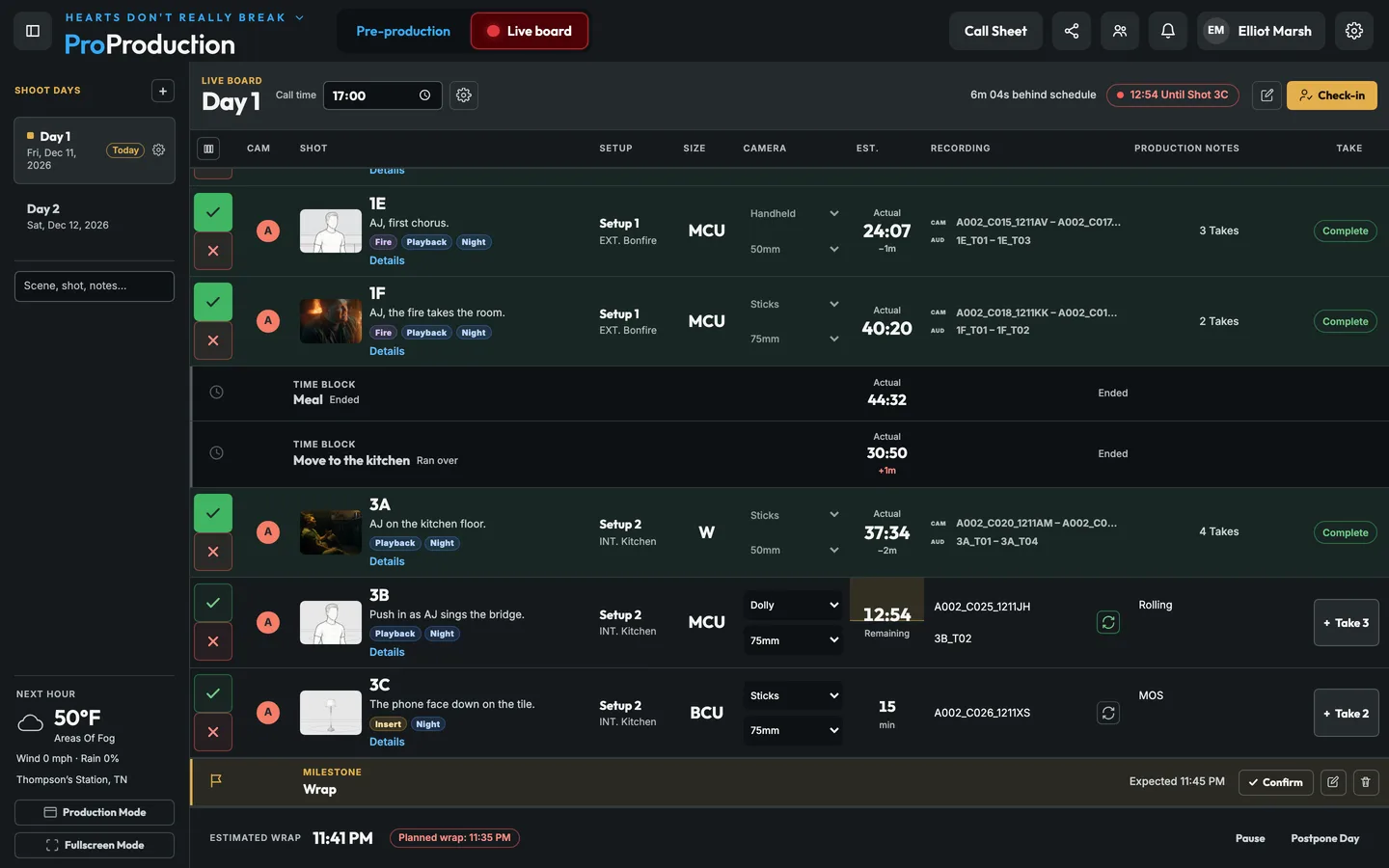
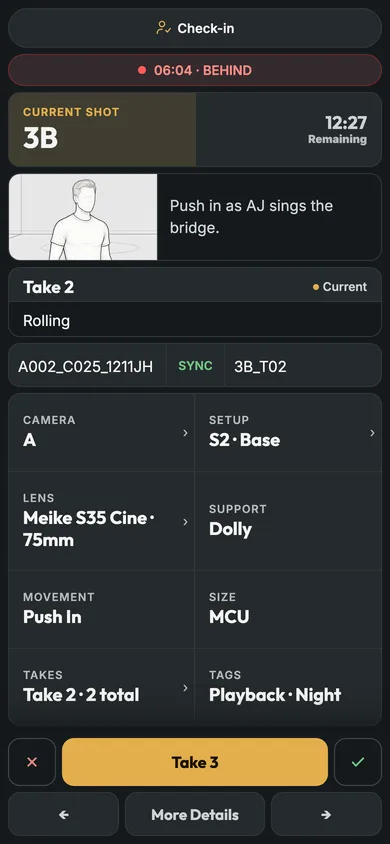
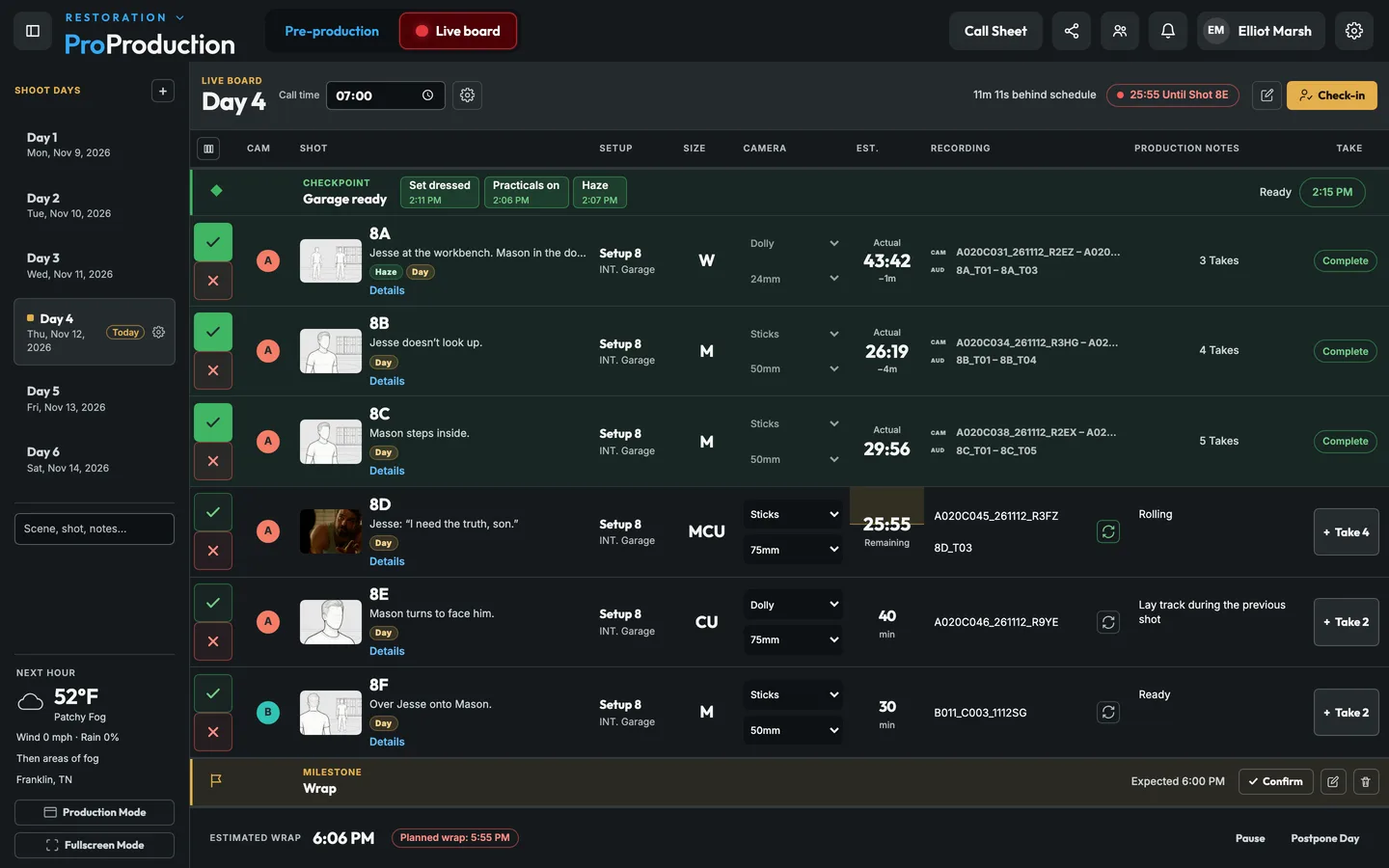
On the morning of the shoot the planned day turns into the live board.
Mark shots done or dropped, log takes and check people in. Timing updates for everybody.
On-set, post-production and day reports come out as PDFs.
Shots in order with their camera, setup and estimate. Checkpoints, milestones and time blocks are each color coded, and the call time, the state of the day and the wrap estimate run across the top.
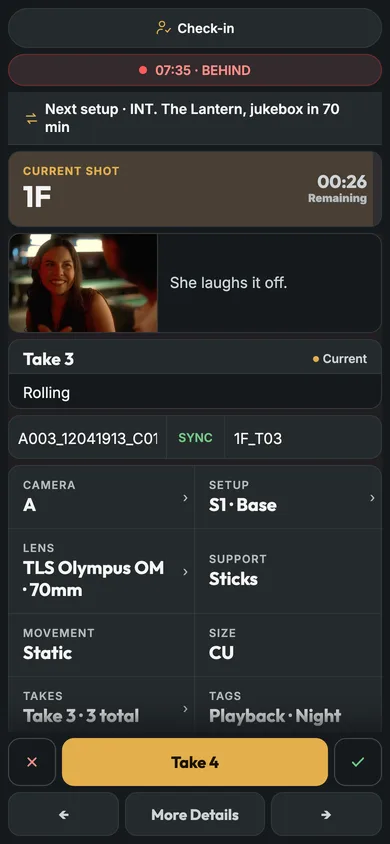
The current shot is a card with big Done, Drop and Take buttons for whoever’s running it, and how far ahead or behind you are is right at the top.
Runs the board: marks shots done or dropped, ends meals and moves, logs delays and sees who has checked in.
Open any shot’s setup: the plan from above and every light with its fixture, modifier and support.
Each shot’s camera, lens, focal length, support and movement, and its storyboard frame.
Camera and audio clip names, circled takes, false starts, tail slates and notes for every take.
Each take’s clip name, timecode and camera settings, filled in by the Camera Agent.
A cast-ready checkpoint with each actor’s ready time, and a flag on any shot whose cast won’t be ready.
Ahead or behind and the estimated wrap against the plan. Costs over the spending limit wait for approval.
What’s shooting and how the day is going, from their call sheet or a link.
Mark each shot done or dropped and the day’s timing updates.
Crew call, cast ready, company moves, each with its people and a deadline.
Setup, travel and meals run against the clock, and you can end them early when they’re done.
Crew scan a QR code when they arrive and the board knows who’s on set.
The board keeps any changes made on it and sends them once the connection is back.
The next hour’s forecast for the location, and the closest emergency room with drive time.
Planned against actual with the reason for each delay, and every camera’s clips, audio, circled takes and notes as PDFs.
Costs logged on set land on their account and day.
Postponed shots carry over to the next day’s plan.
Anyone on the production you give access to, on their own phone, with or without an account. On Free only you can run it. On a paid plan (Individual, Studio or Organization) your crew run it with you.
Yes. Export a shoot day’s takes from the live board as an ALE or a CSV for Resolve or Avid, with each take’s camera clip and settings. The post-production report is a PDF.
Changes made on the board while it’s down are saved on the device and sent when the connection comes back. Anyone on the camera’s network keeps watching the picture directly.
It's free for one project, from the script to the live board, and you don't need a card.