Your own categories
Cast, extras, props, wardrobe and the rest of the usual eight, plus any category you add, each with its own color.
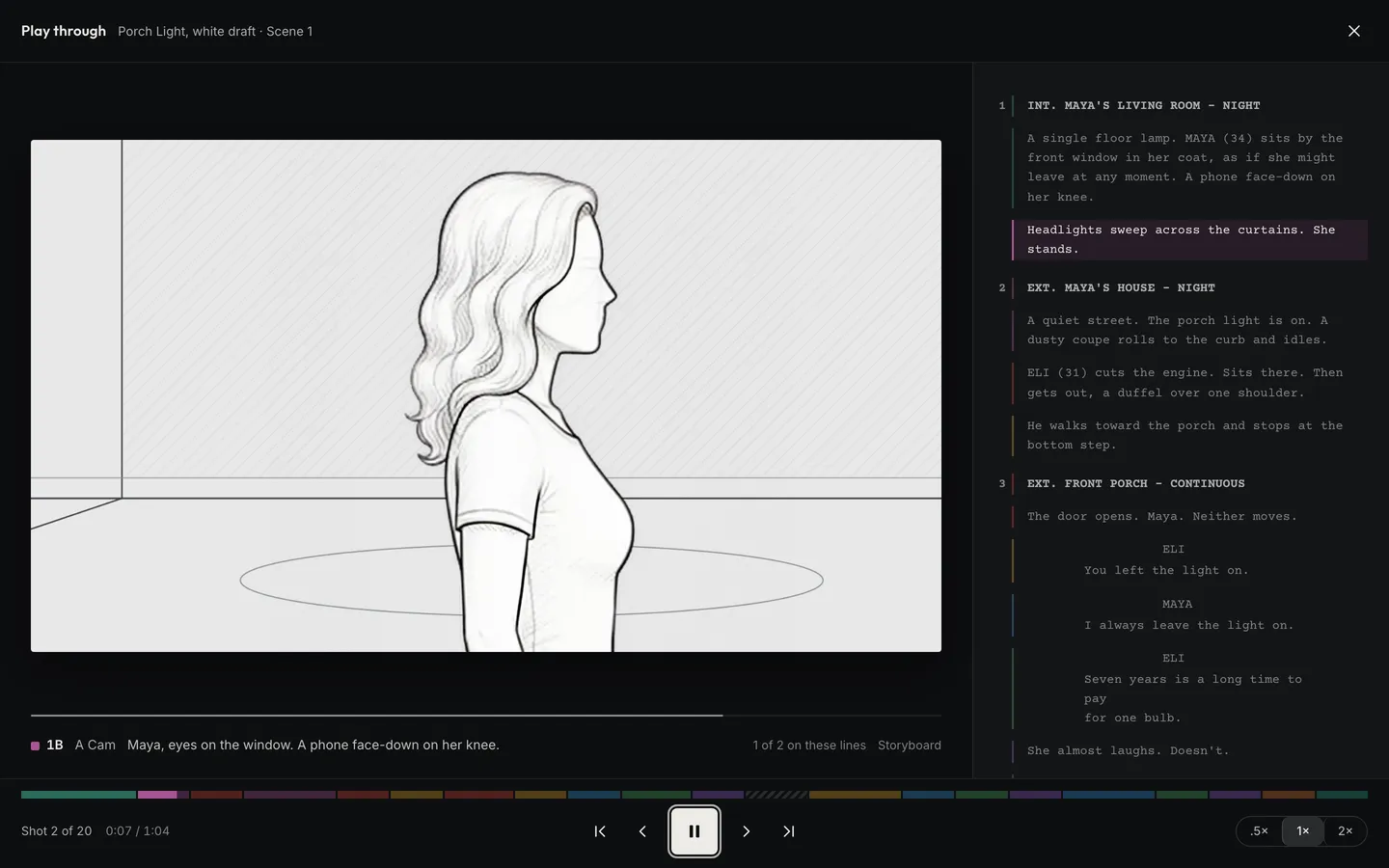
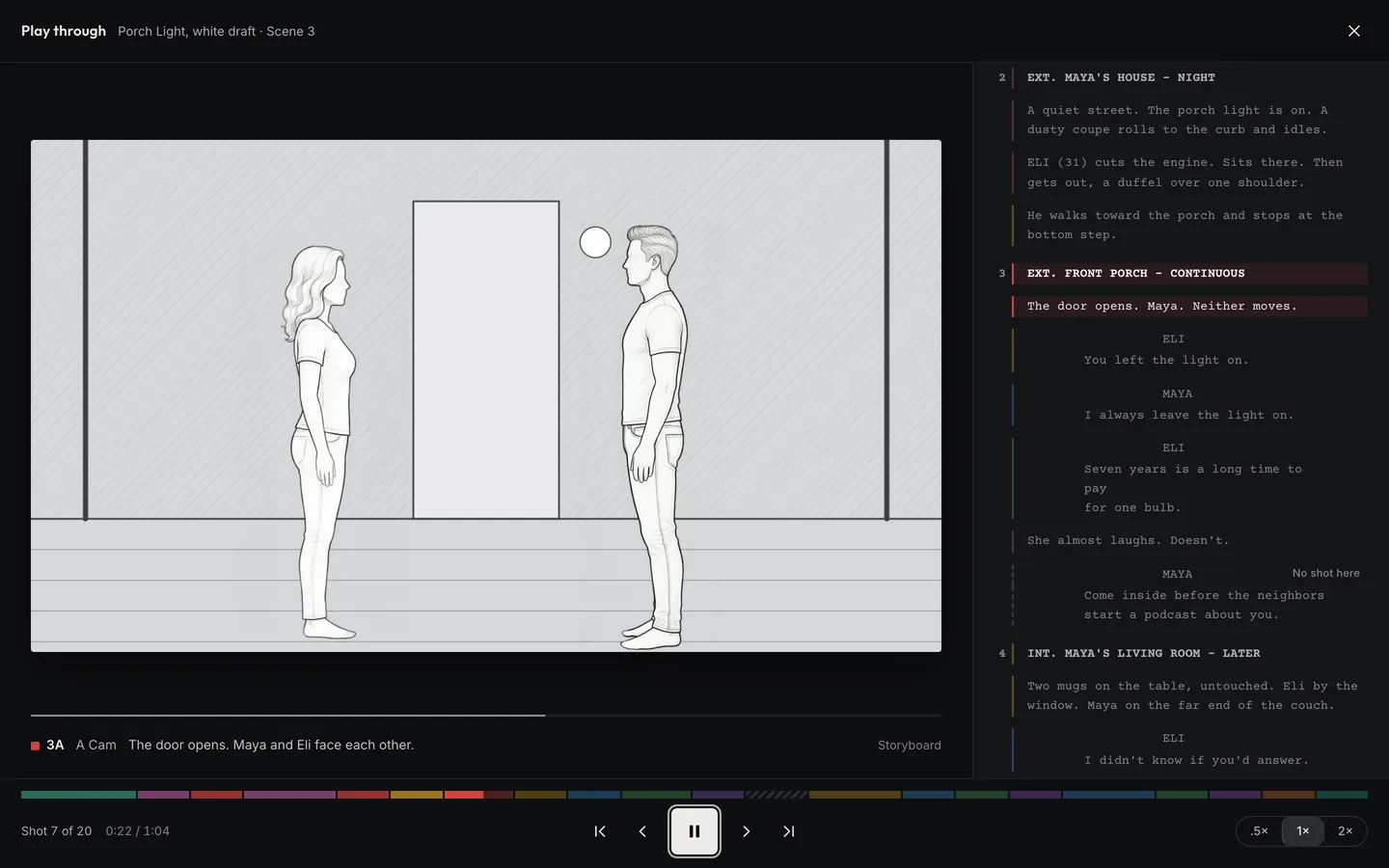
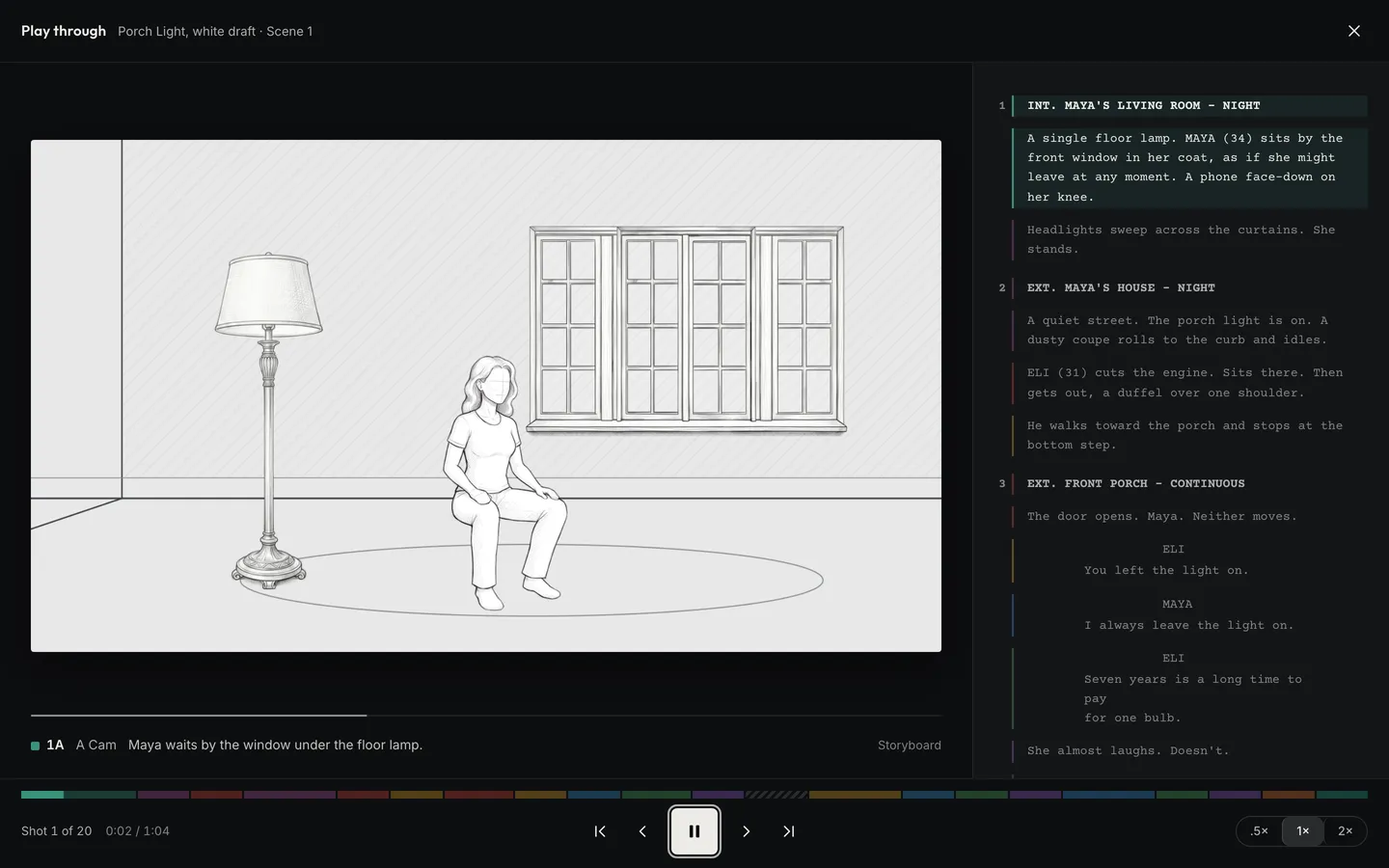
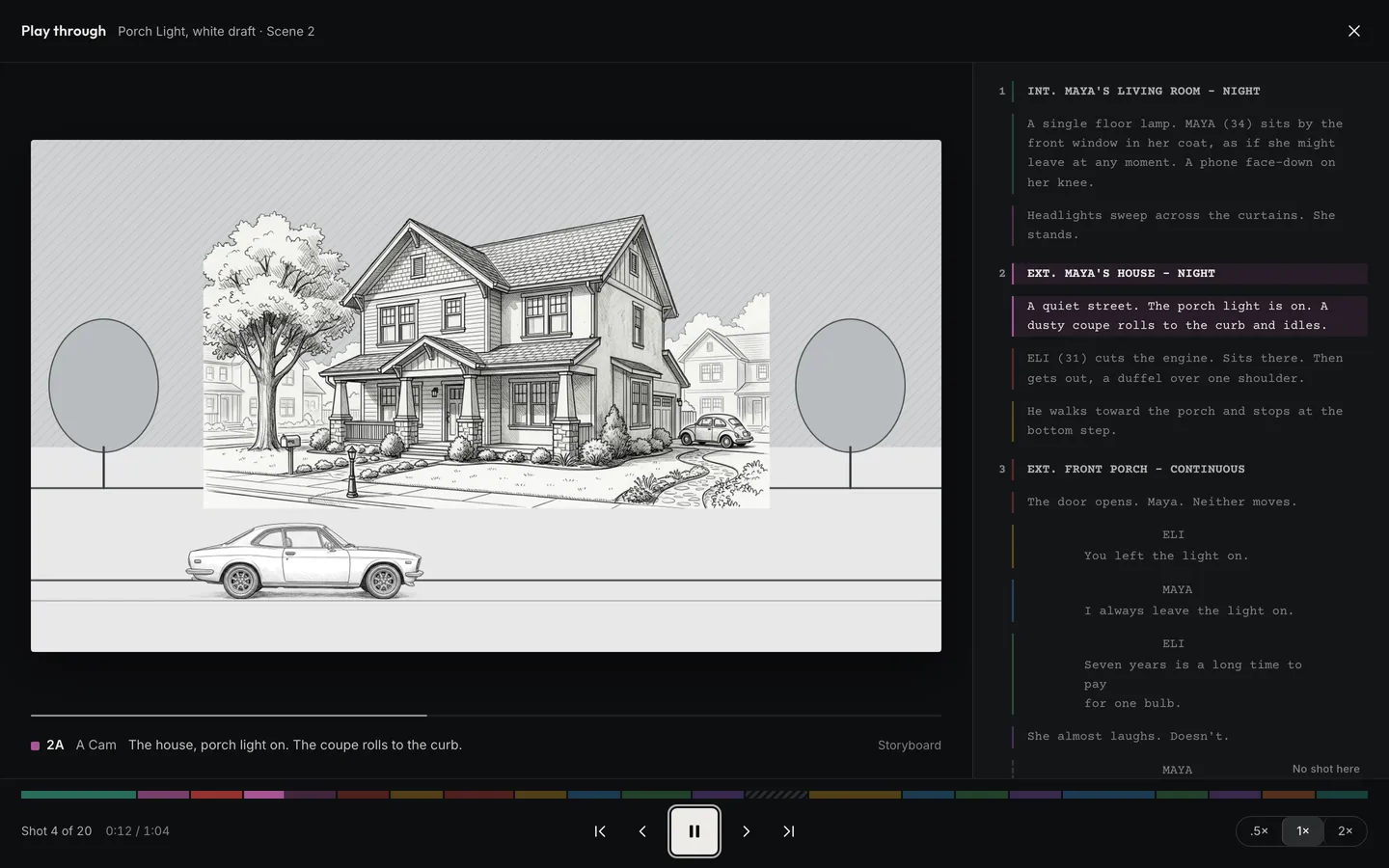
Bring the script in the way it was written, page layout and all, or write the next draft right here. Link passages to the shots that cover them, and Play-Through runs the frames in order beside the lines, at the pace of the page. You see the film before you shoot it, and every moment nobody has boarded yet.
Bring in a PDF, Word, Final Draft or Fountain file, or write the next draft here.
Tag cast, props and the rest, and link the lines each shot covers.
Watch the frames run with the script, then print breakdown sheets and sides.
Press Play and the script scrolls while each shot’s frame fills the screen for the lines it covers. Two shots on the same lines play one after the other, and a Multi-Cam shot shows every angle. Once a shot is filmed, its frame from the camera takes the drawing’s place. Space pauses, and the arrow keys step through shots and scenes.
On a real shoot. Two days before Porch Light’s first night, the director plays the opening. The window shot and the headlights run back to back, and it’s clear the scene needs a reaction from Maya in between. They add the shot to Day 1 before the call sheet goes out.
Write opens the next draft as a copy of the newest one, in Courier on US Letter pages with standard margins. Enter and Tab move between scene headings, action, characters and dialogue the way Final Draft does, and typing INT. or EXT. makes a heading. Scene numbers stay locked, and every linked shot and breakdown tag follows its words into the new draft.
On a real shoot. The writer trims scene 4 on Thursday night. On Friday the shots, tags and notes are still on the right lines, and anyone can still open Wednesday’s draft.
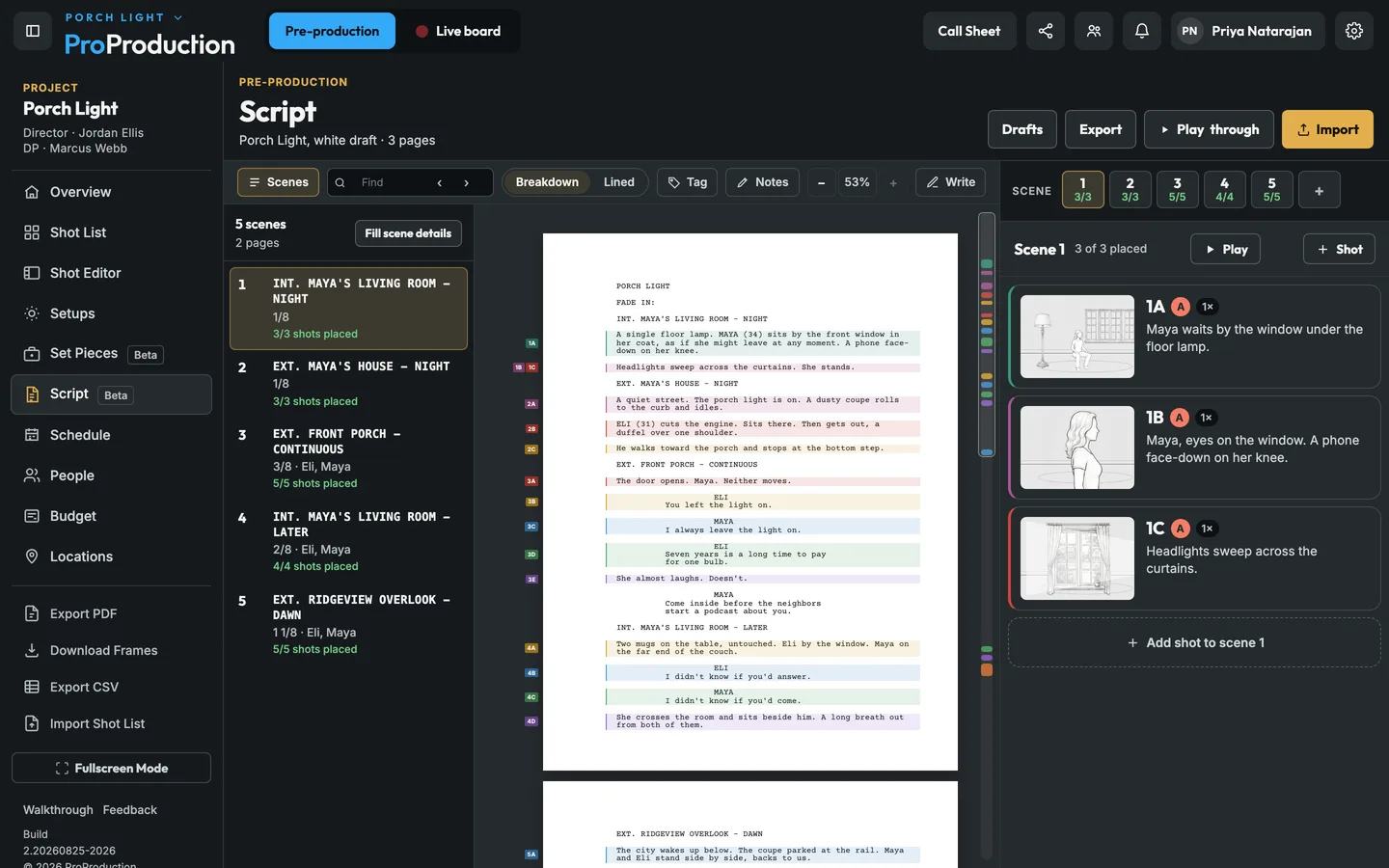
Cast, extras, props, wardrobe and the rest of the usual eight, plus any category you add, each with its own color.
A sheet per scene in the usual layout, and an element list of everything across the script.
Pick a shoot day and its scenes print from the typeset script.
Title, credit, author, draft date and contact, read from the file you import.
Make a shot for the passage you’re reading and it’s already linked.
Each scene shows how many of its shots are placed and which moments don’t have one yet.
Import it or write it here. Every draft is kept, the breakdown and the linked shots move to the same words in the new one, and any earlier draft can still be read.
Yes, a .docx. Scene headings, action, characters and dialogue are read from its styles or its layout, and a first page that ends with a page break becomes the title page. Older .doc files need saving as .docx first.
It's free for one project, from the script to the live board, and you don't need a card.