Address and map pin
Look up the address and it fills in the street, city and pin. Parking and base camp get their own.
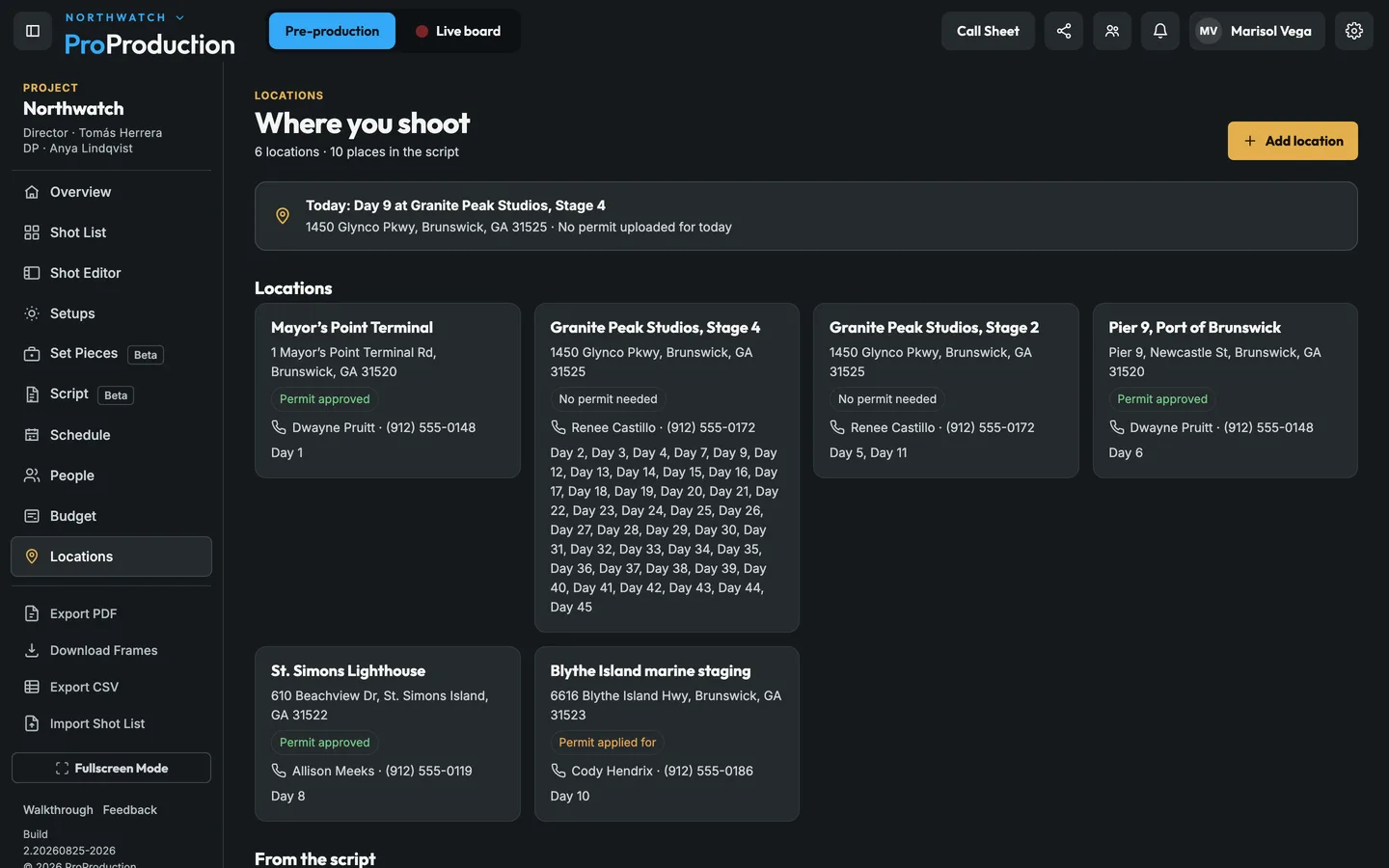
The script names places; a location is the real place with an address, a contact and a permit. Tie them together once and every shoot day knows where it is. Its call sheet gets the address, parking, map and nearest ER, and the budget can say what each place costs.
Take photos on the phone at each place. They land on the location’s map.
Tie the script’s places to locations, and each day picks up its location from its scenes or Day settings.
The day’s call sheet has the address, parking, map and nearest ER.
On a scout day, Scout photos opens the phone’s camera ready to shoot: take, keep or retake, and keep going. Each photo saves where the phone was and which way it faced, and the location’s map shows a pin for where you stood with a wedge for the view. No signal at the location? Photos wait on the phone and upload on their own once you’re back in range.
On a real shoot. The locations manager walks Pier 9 at 7 AM and takes 30 photos from four spots. When the DP opens the location at lunch, the map shows where each photo was taken from and which way it looked, so they know where the camera boat goes.
A scene heading in the script becomes a place. Link it to a real location and the days that shoot those scenes pick it up. The call sheet takes its address, parking, map pins, safety notes and nearest ER, and budget lines tagged with it add up under Budget, By location.
On a real shoot. Stage 4’s production office moves the crew entrance to the next building. Change the location’s parking and address once, and every day shot there, and each next call sheet, has the new directions.
Look up the address and it fills in the street, city and pin. Parking and base camp get their own.
Who to call at the location, with their phone and email.
Not needed, needed, applied for or approved, with the permit files for each day.
What everyone at this place needs to know, on every call sheet there.
Shoot, pre-light, strike or scout, so only shoot days count as shoot days in the budget.
Each location’s estimate, what’s been spent there and what’s left.
No. The camera opens in your phone’s browser. On a computer, Add photos takes pictures you already have and reads their place and time.
Photos are kept on the phone and upload one at a time once it’s back online, even if you close the page in between.
It's free for one project, from the script to the live board, and you don't need a card.