Checkpoints and milestones
Who needs to be ready by when, and the moments the day has to hit, like first shot and sunset.
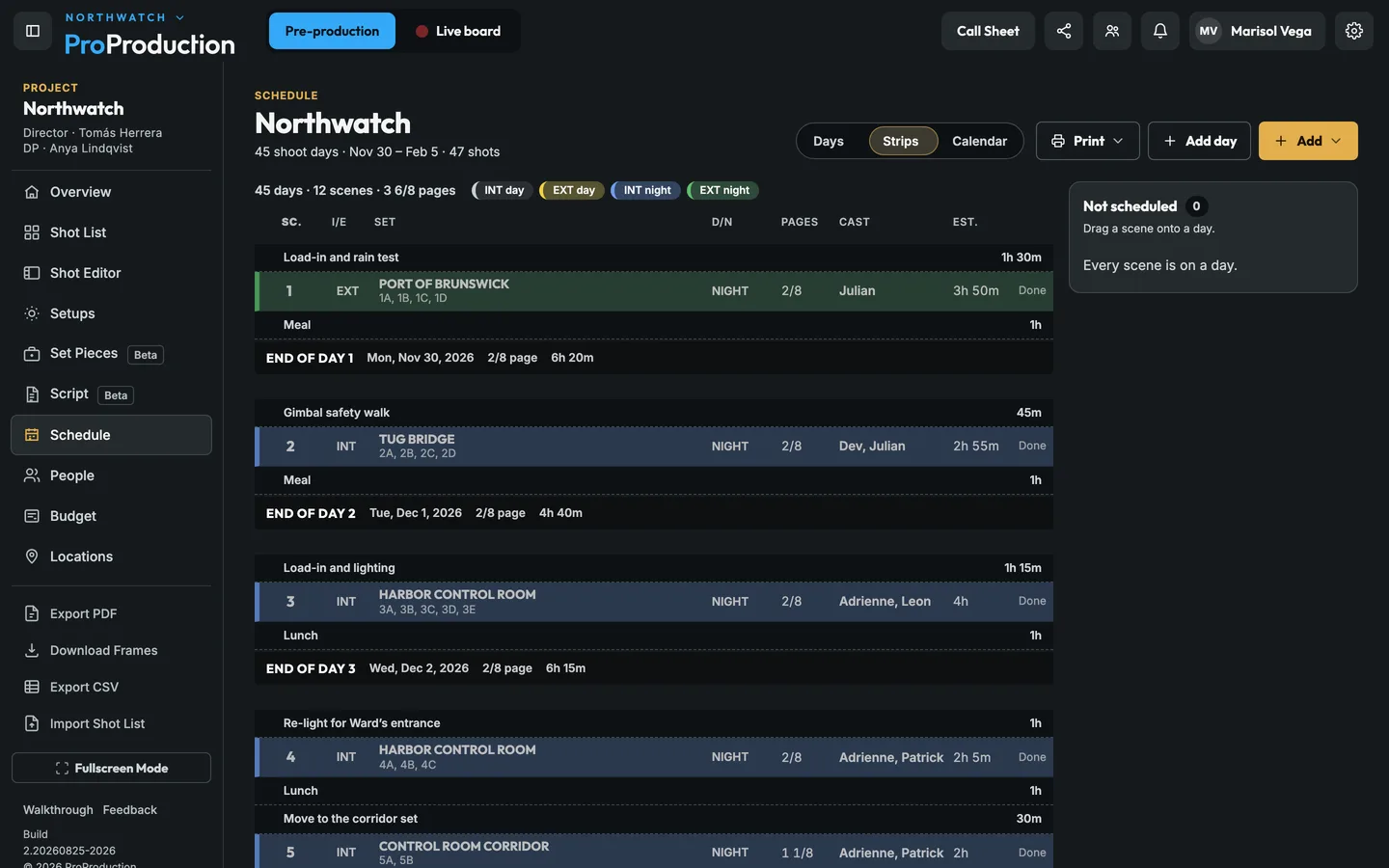
Every shoot day is a card with its call time, where it is, its scenes and pages, and how long the plan runs against a 12-hour day. Drag shots between days or pull them from Not scheduled. Switch to Strips for the stripboard, and print a one-liner or a shooting schedule when the plan’s ready. On the morning of the shoot, the day becomes the live board.
Coming soon Notes on everything. A note on a shot, setup, day or call sheet, sent to a person or a whole department, open until it’s done.
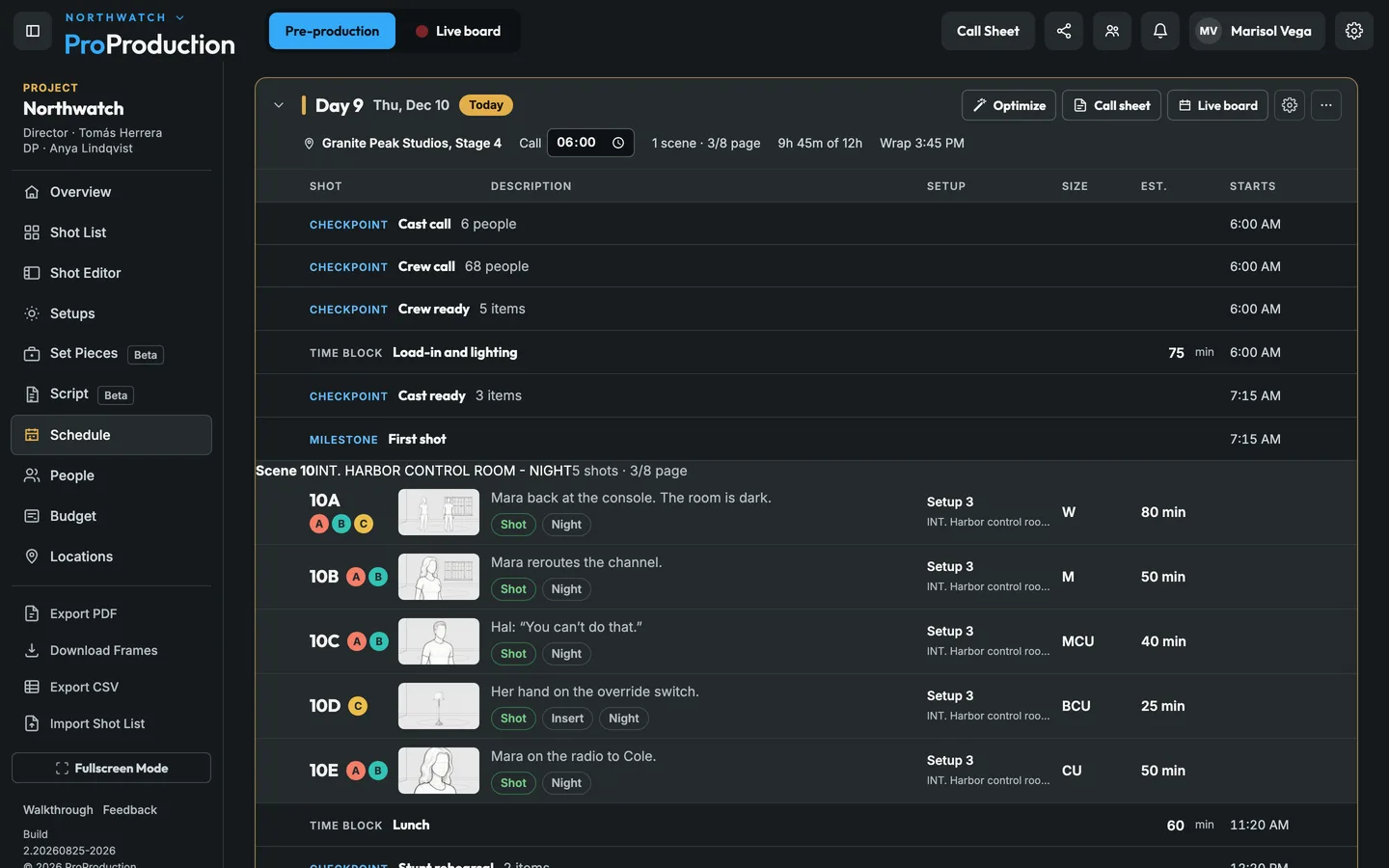
Give each shot a time. Setup, travel and meals get their own blocks.
Drag shots and scenes onto days, in Days or in Strips, with checkpoints for who needs to be ready when.
Each day opens its call sheet, and on the morning of the shoot it becomes the live board.
Each day plans out from its call: shots with their estimates, setup and meals, checkpoints for who has to be ready, and the milestones you need to hit. The card adds it up against a 12-hour day and gives you the wrap. Change the call time right on the card and everything after it moves.
On a real shoot. Northwatch’s Day 9 is on Stage 4 with a 6:00 AM call: 9 hours 45 minutes, wrap at 3:45 PM. The stunt coordinator asks for another 30 minutes of rehearsal after lunch. Add the block and the card shows the new wrap before anyone signs off on it.
Strips shows the same plan the way a 1st AD reads it: a strip a scene, colored by INT or EXT and day or night, with the set, pages in eighths, cast and estimate, and a line at the end of each day with its total. Drag a strip to another day and the Days view, the call sheets and the live board follow.
On a real shoot. Rain is forecast for the pier day. Drag the pier strips back a week and pull two stage scenes forward. Each day’s pages and time update as you drop them, and the call sheets follow.
Who needs to be ready by when, and the moments the day has to hit, like first shot and sunset.
Time per shot, setup and teardown, travel and meals, and a planned wrap.
Split a day between units, each with its own call, cameras and timed list.
When the plan moves to another location or setup, a quiet row offers the move in one tap.
Each day’s card opens its call sheet, ready to send.
On the morning of the shoot, the planned day becomes the live board.
Yes. Main unit and second unit run side by side, each with its own call, timing and wrap estimate, and a shot only goes to a unit with its cameras free.
Yes. Print the one-liner or the full shooting schedule from the Schedule, with the days running on one after another and each day’s pages and time.
It's free for one project, from the script to the live board, and you don't need a card.