How do I add people to my organization, and pay for the seats?
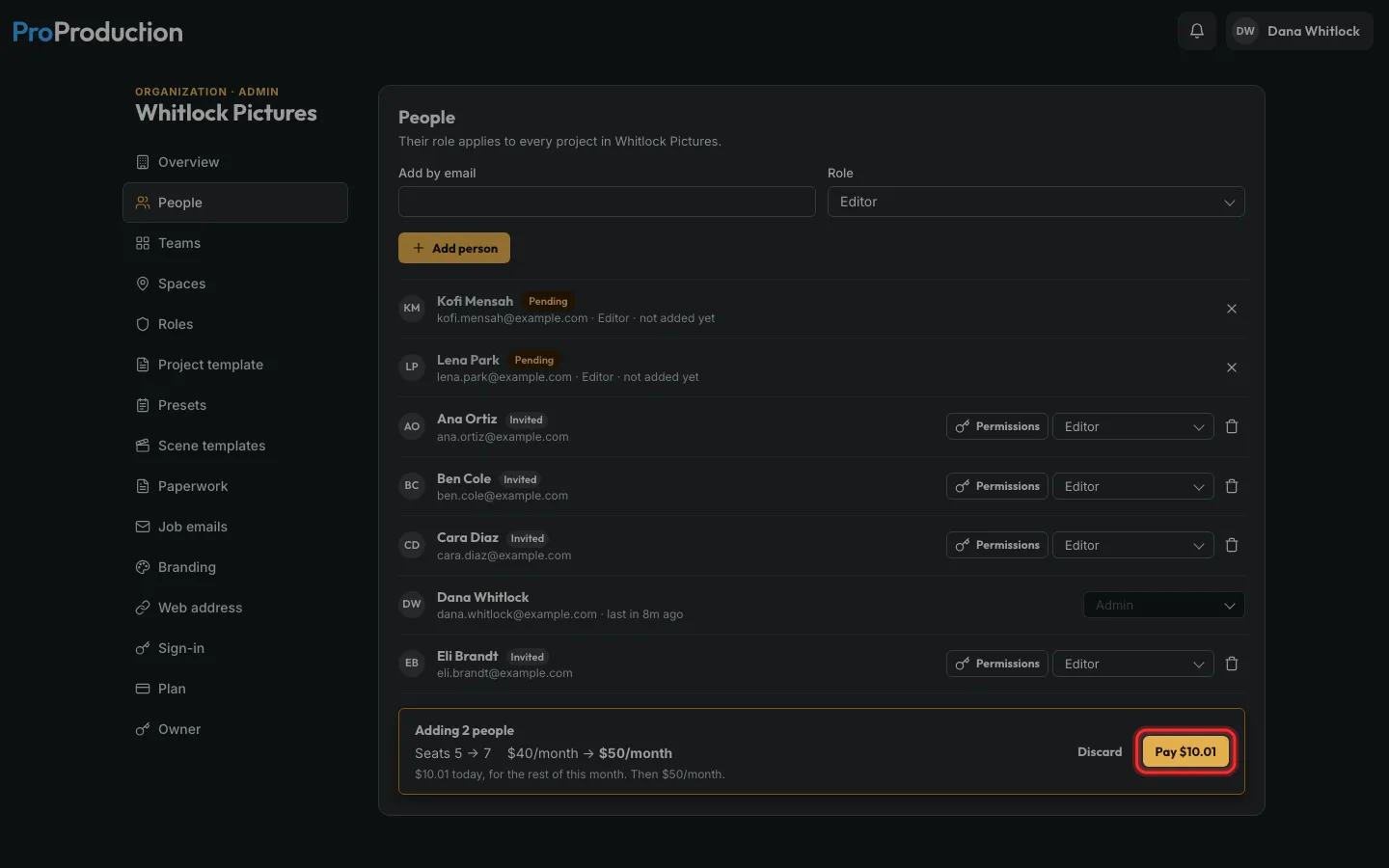
In People, add each person by email. Past your seats they wait as Pending, and one Pay adds them all, with the new price shown first.
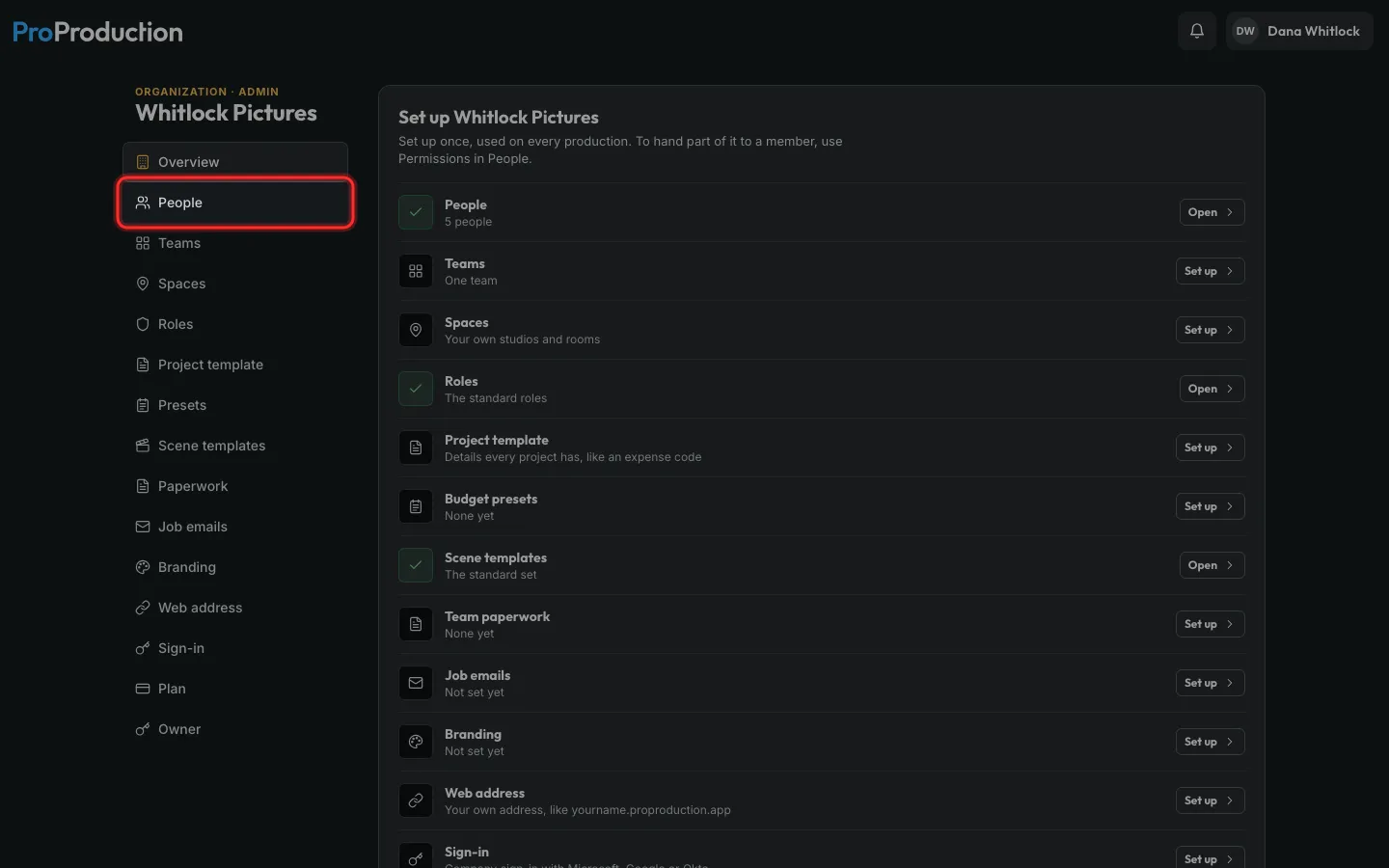
Step 1: In the Organization area, click People.
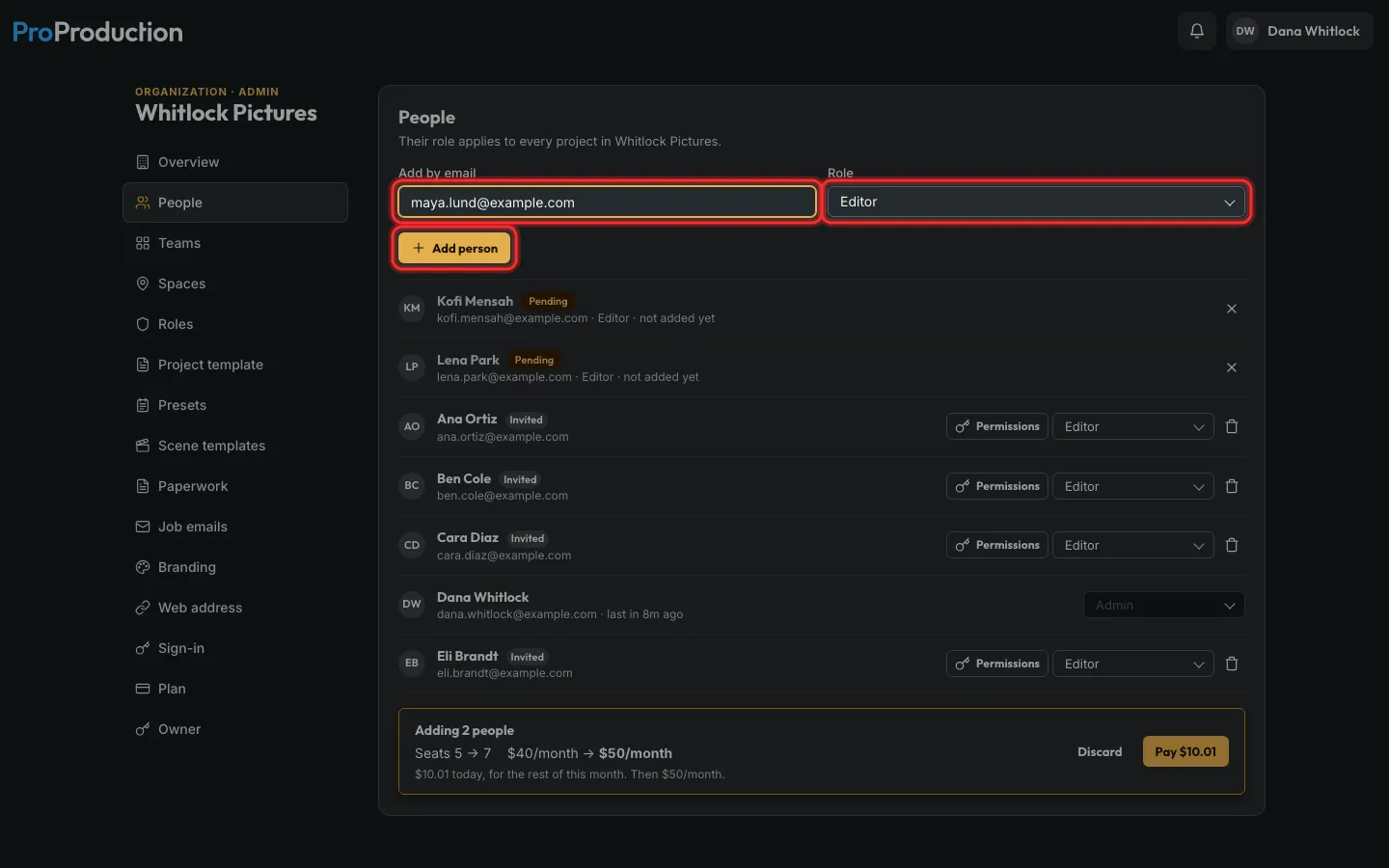
Step 2: Type their email, pick a role and click Add person.
Someone new? It asks for their name, then Add person again.
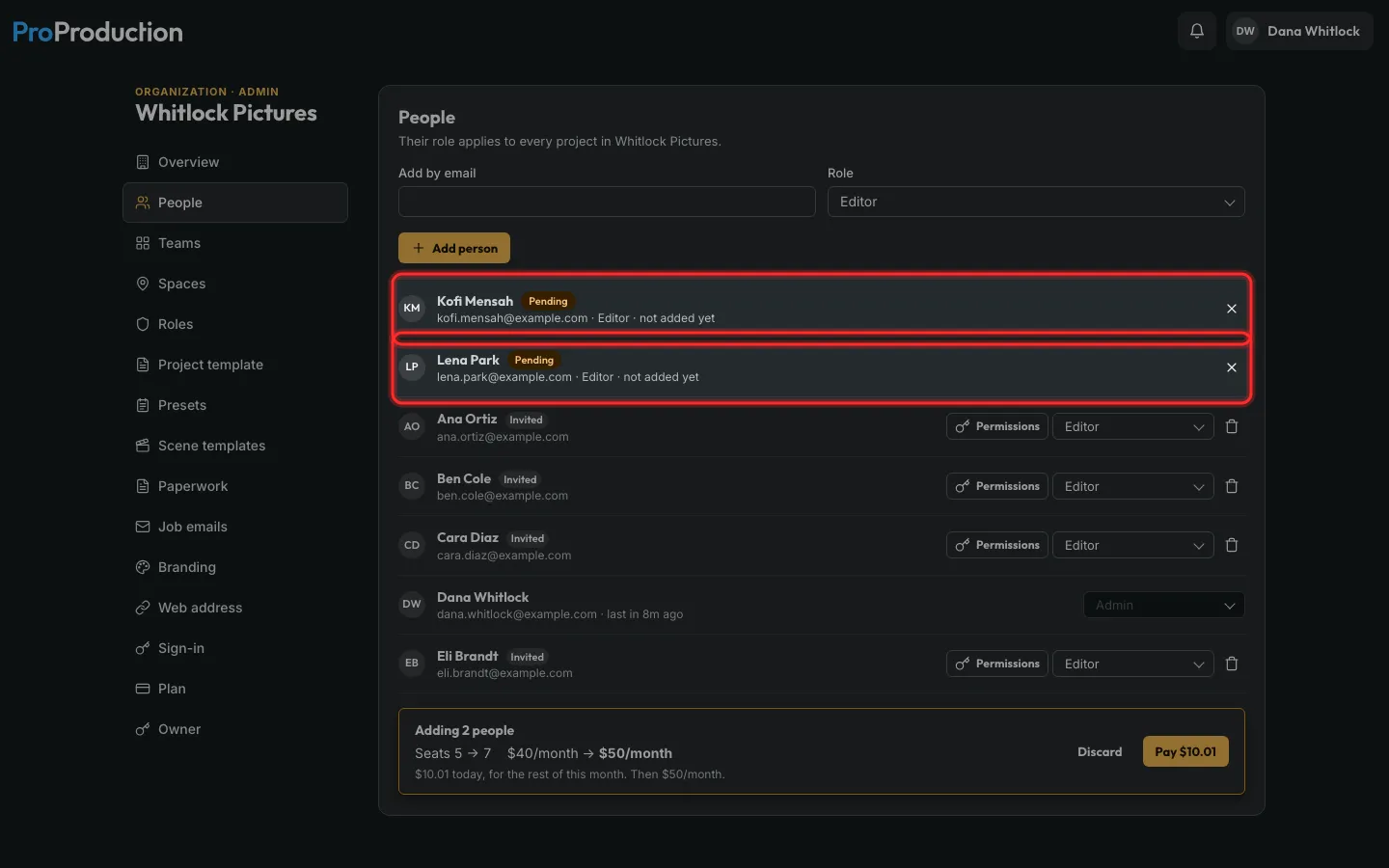
Step 3: Past the seats you pay for, they wait as Pending. Add everyone you need first.
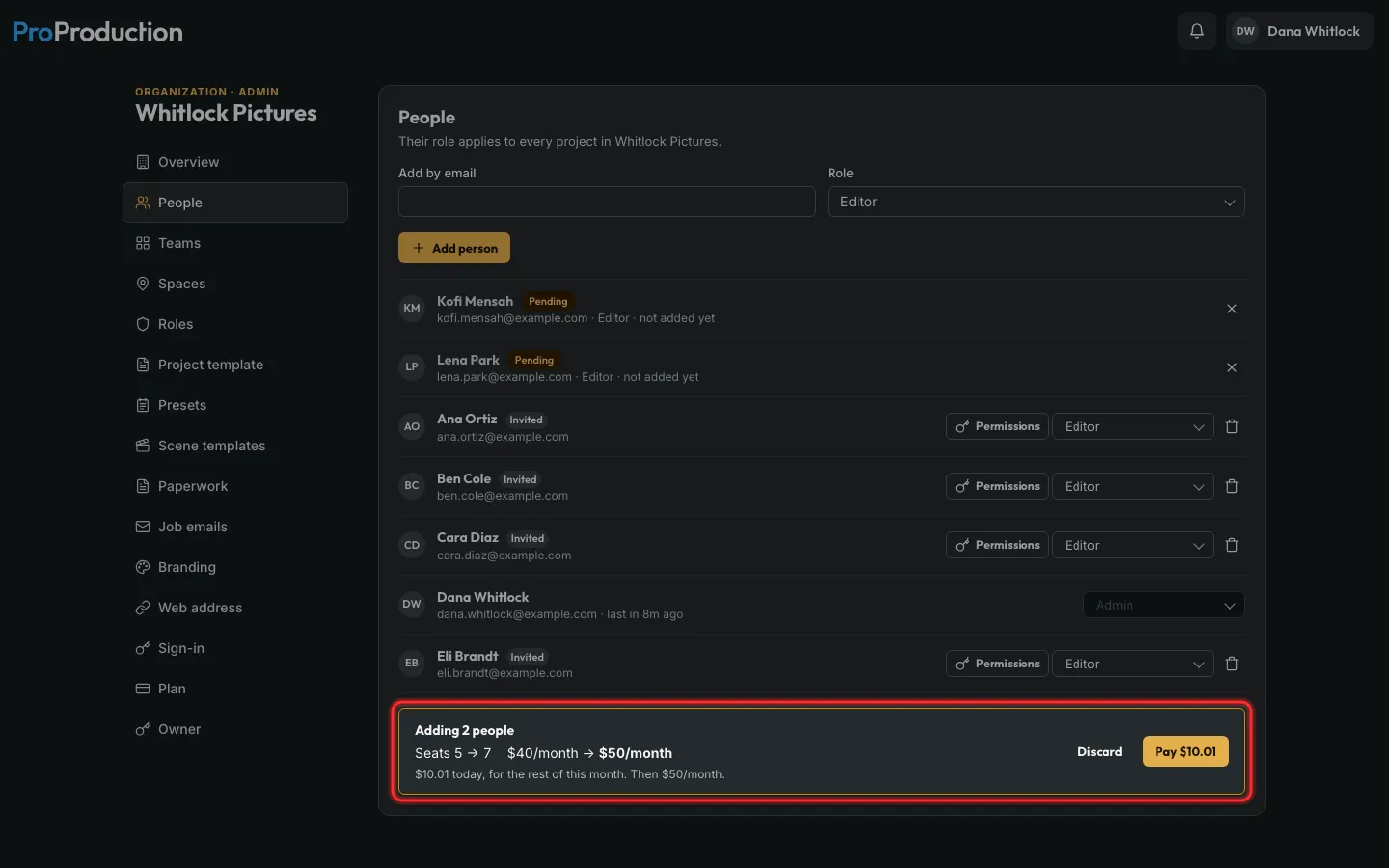
Step 4: The bar at the bottom shows the seats, the new monthly price and what you pay today.
Step 5: Click Pay.
They’re in at once and get their invites. Discard clears the list. Only admins can pay.
Still stuck?
Write to hello@proproduction.app. A person reads every message.