How do I ask crew if they’re free, and hold them?
In People, open Avails and click Ask for avails. Pick the position, the days and who. Crew answer in one tap from the email, and anyone free gets a Hold button.
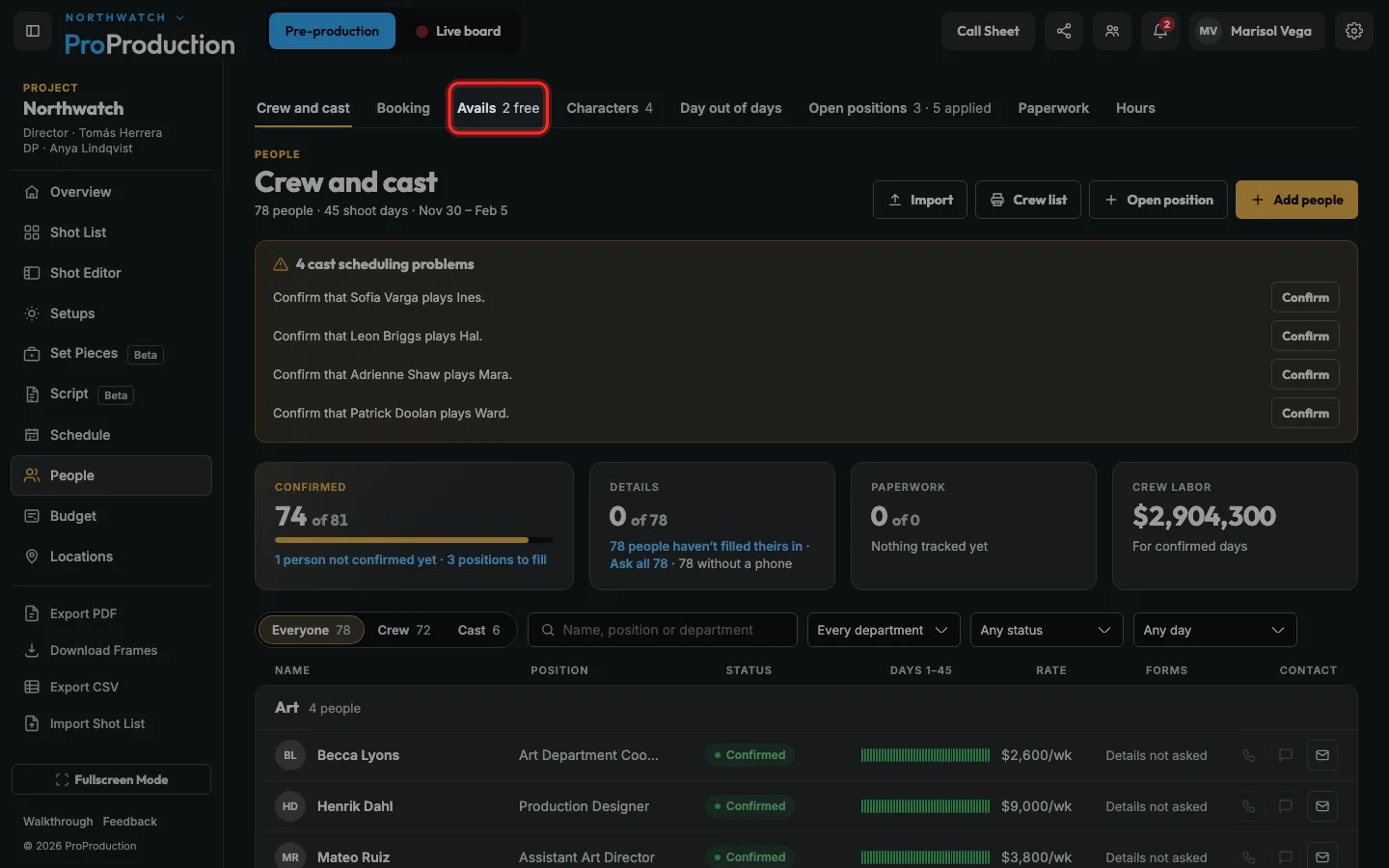
Step 1: In People, click Avails.
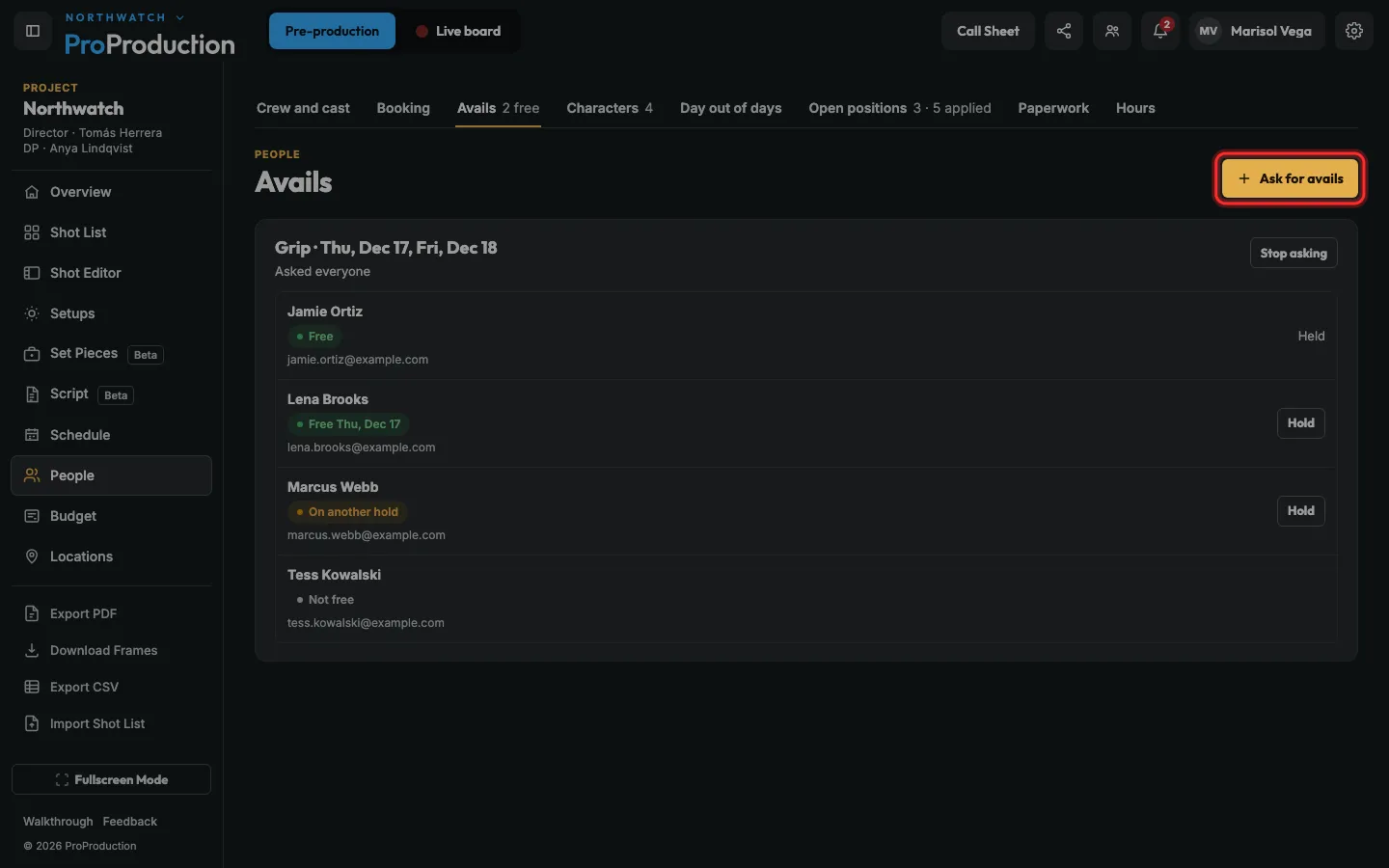
Step 2: Click Ask for avails.
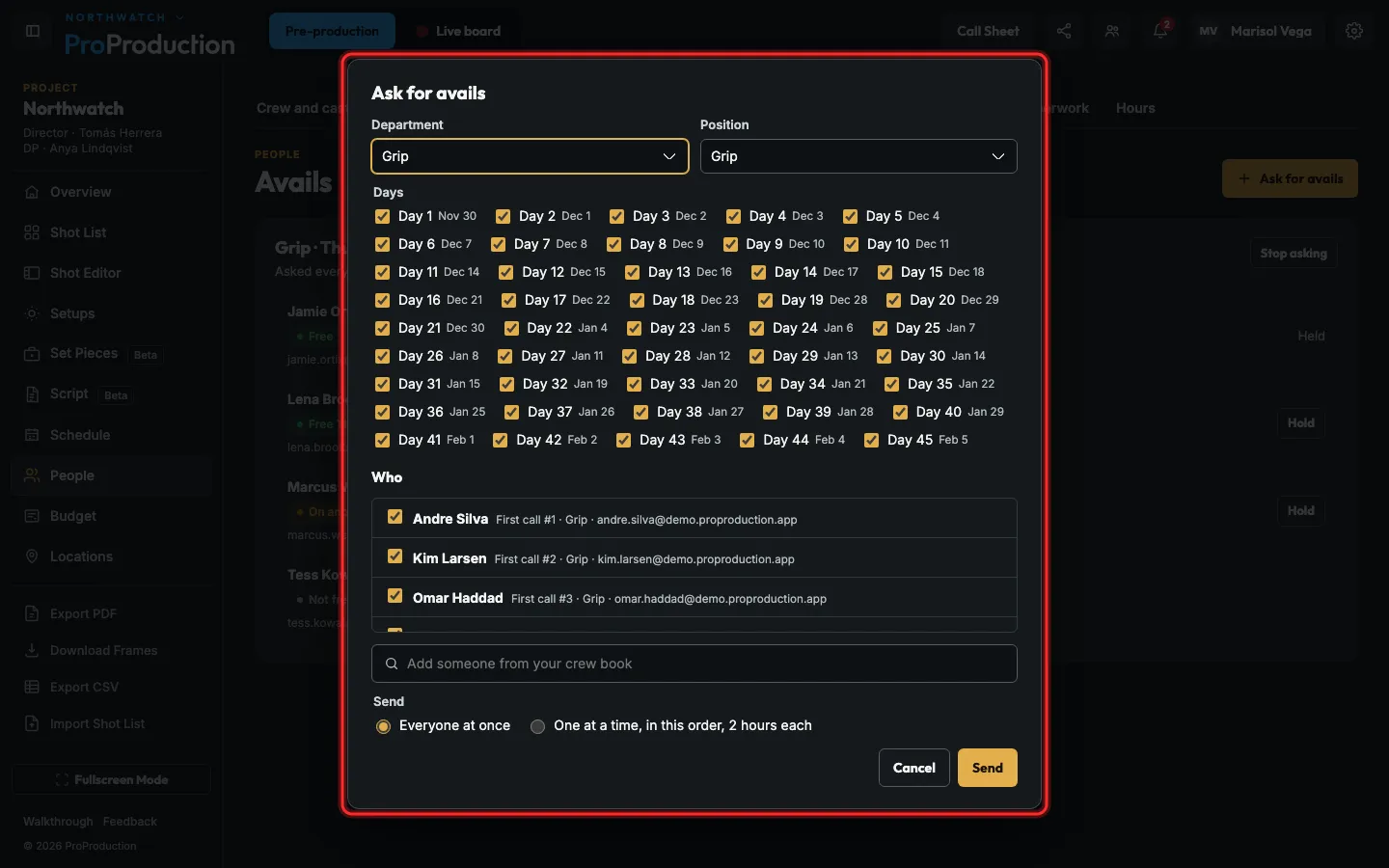
Step 3: Pick the position and the days, tick who to ask, choose Everyone at once or One at a time, and click Send.
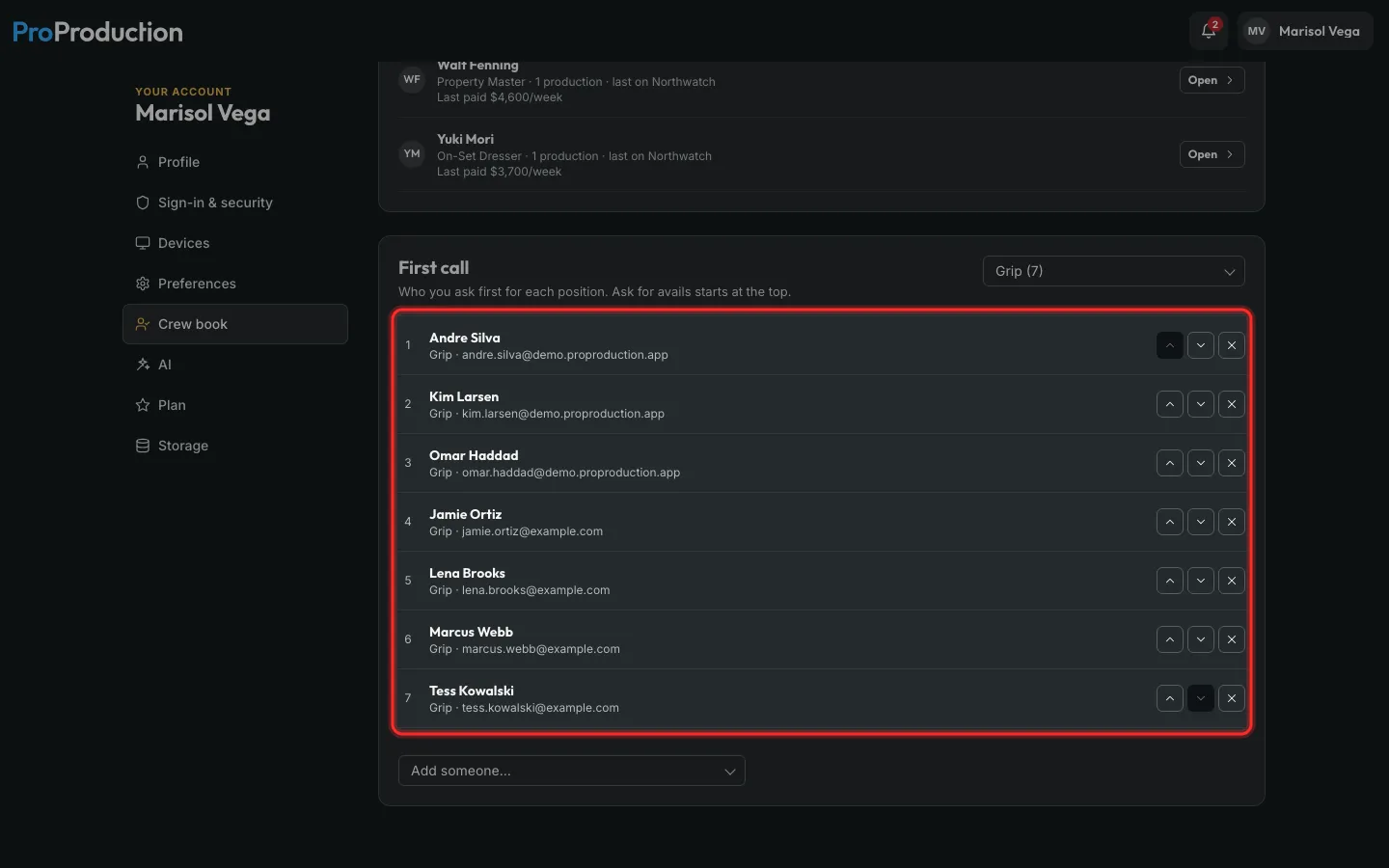
One at a time gives each person two hours before the next on your First call list is asked.
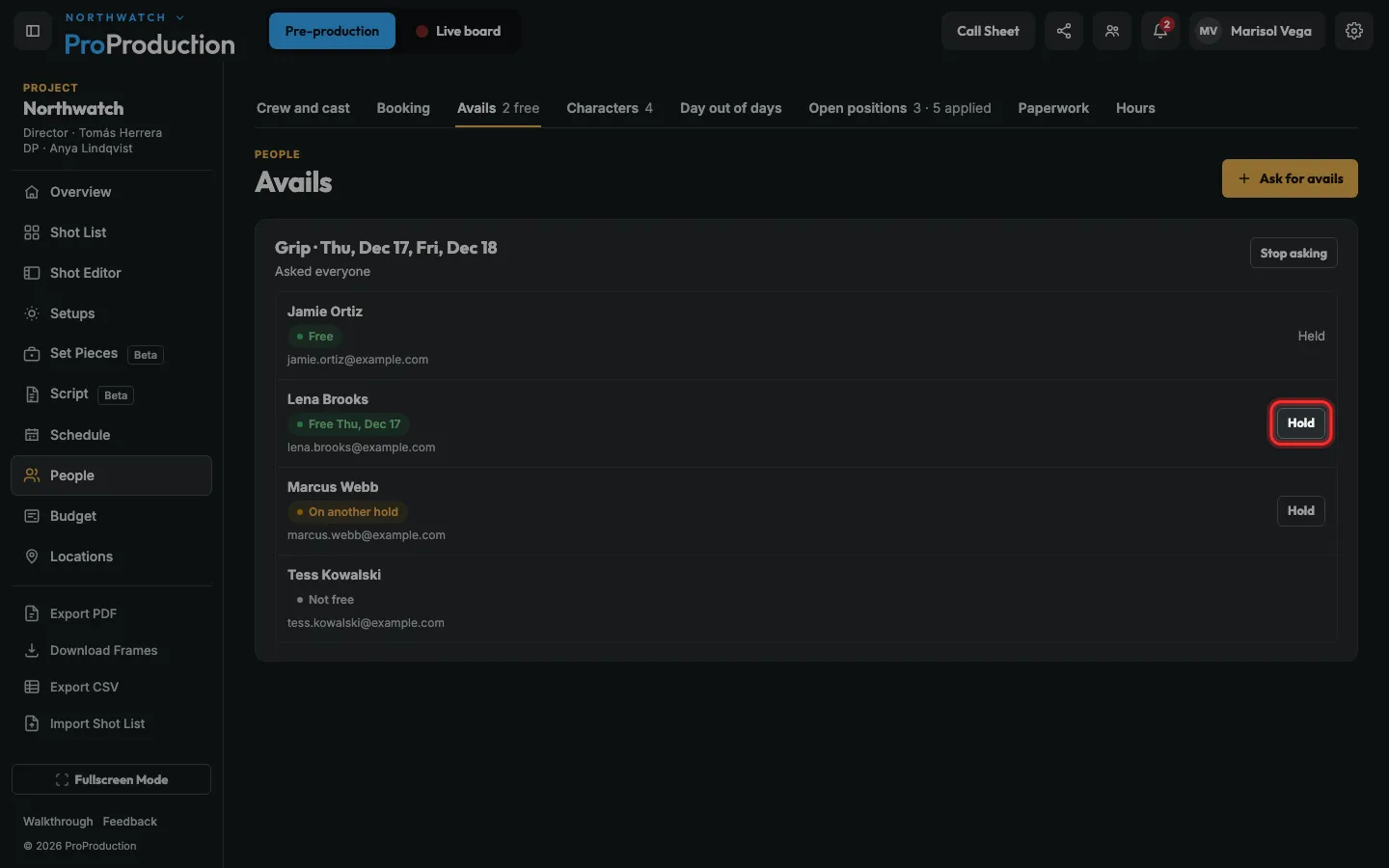
Step 4: Answers come in as crew tap them. Click Hold beside someone who’s free.
A hold is 1st unless they’re held on another production that day. Then it says 2nd, and moves up when the 1st lets go.
Step 5: To choose who’s asked first, open Account, then Crew book, and put the First call list in order.
On Studio and Organization the crew book is the whole company’s, under Organization → Crew book.
Still stuck?
Write to hello@proproduction.app. A person reads every message.