How do I send live camera pictures to the board?
On a computer with the camera’s capture card, open Day settings → Camera, pick the source and the camera letter, and click Assign this camera. Anyone on the board clicks Live Stream to watch.
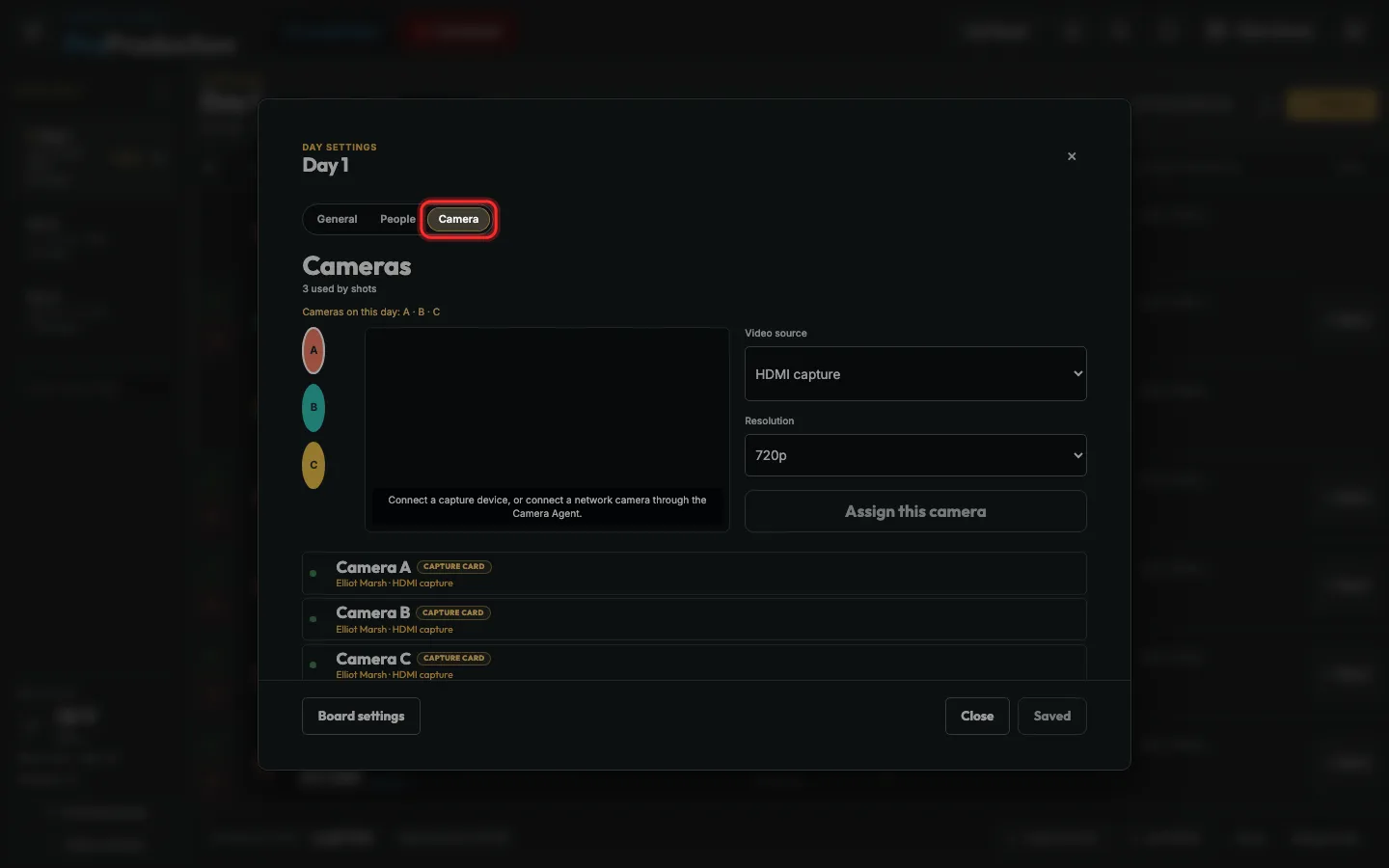
Step 1: On the computer the camera plugs into, open the Live board and click the gear on today’s day, then Camera.
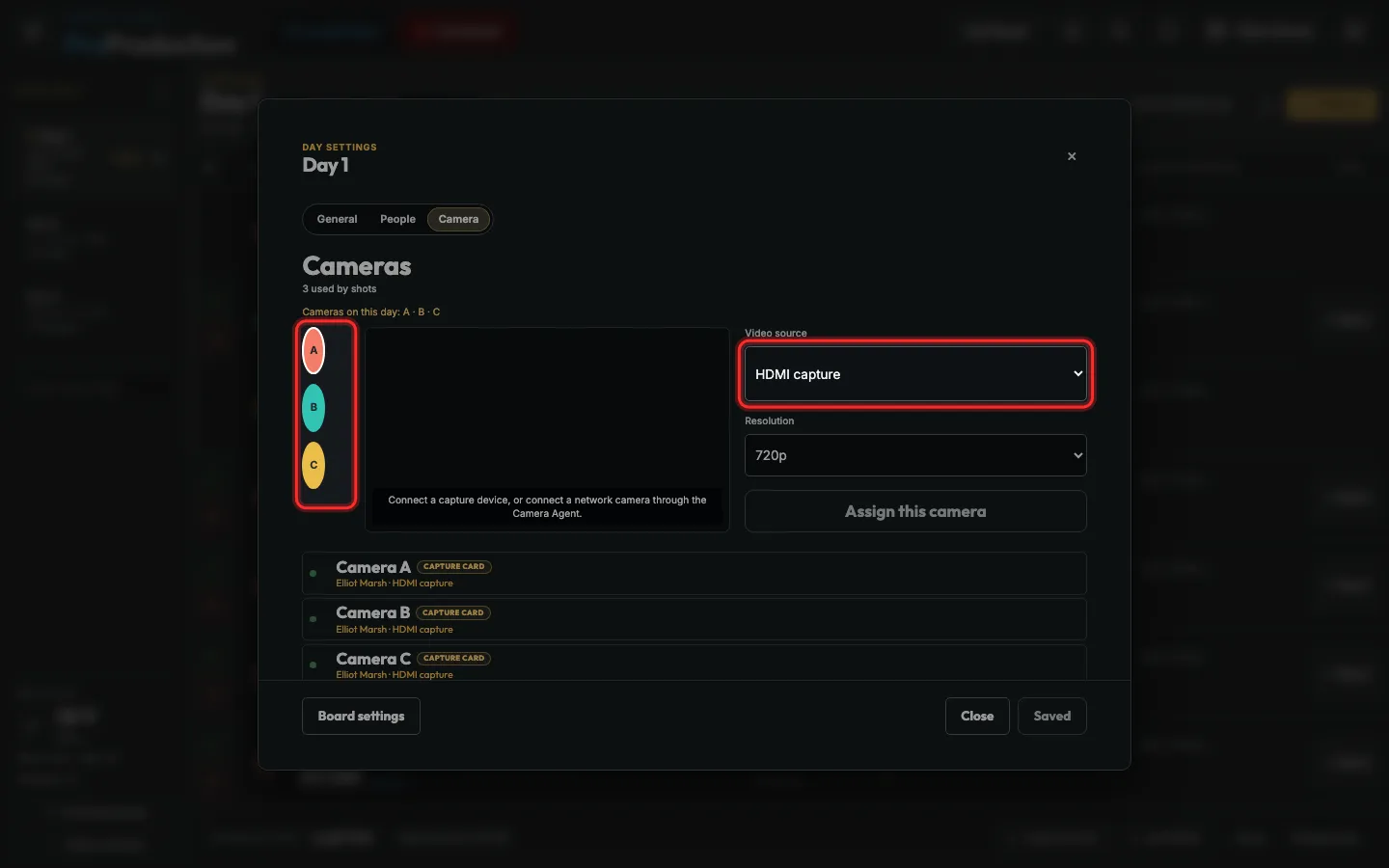
Step 2: Pick the capture card under Video source, and the camera’s letter.
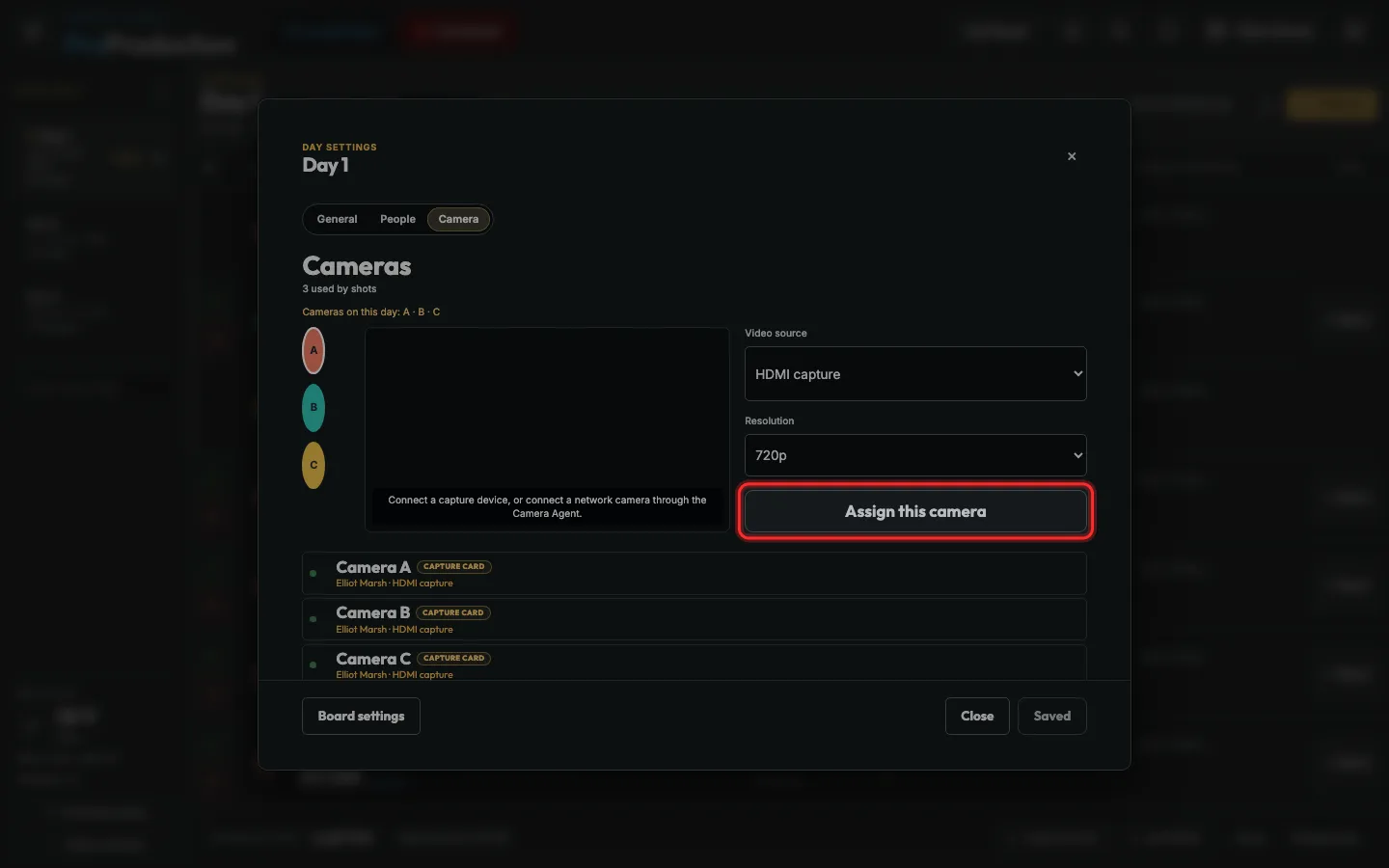
Step 3: Click Assign this camera.
Cameras on the Camera Agent can send without a capture card: Start network video.
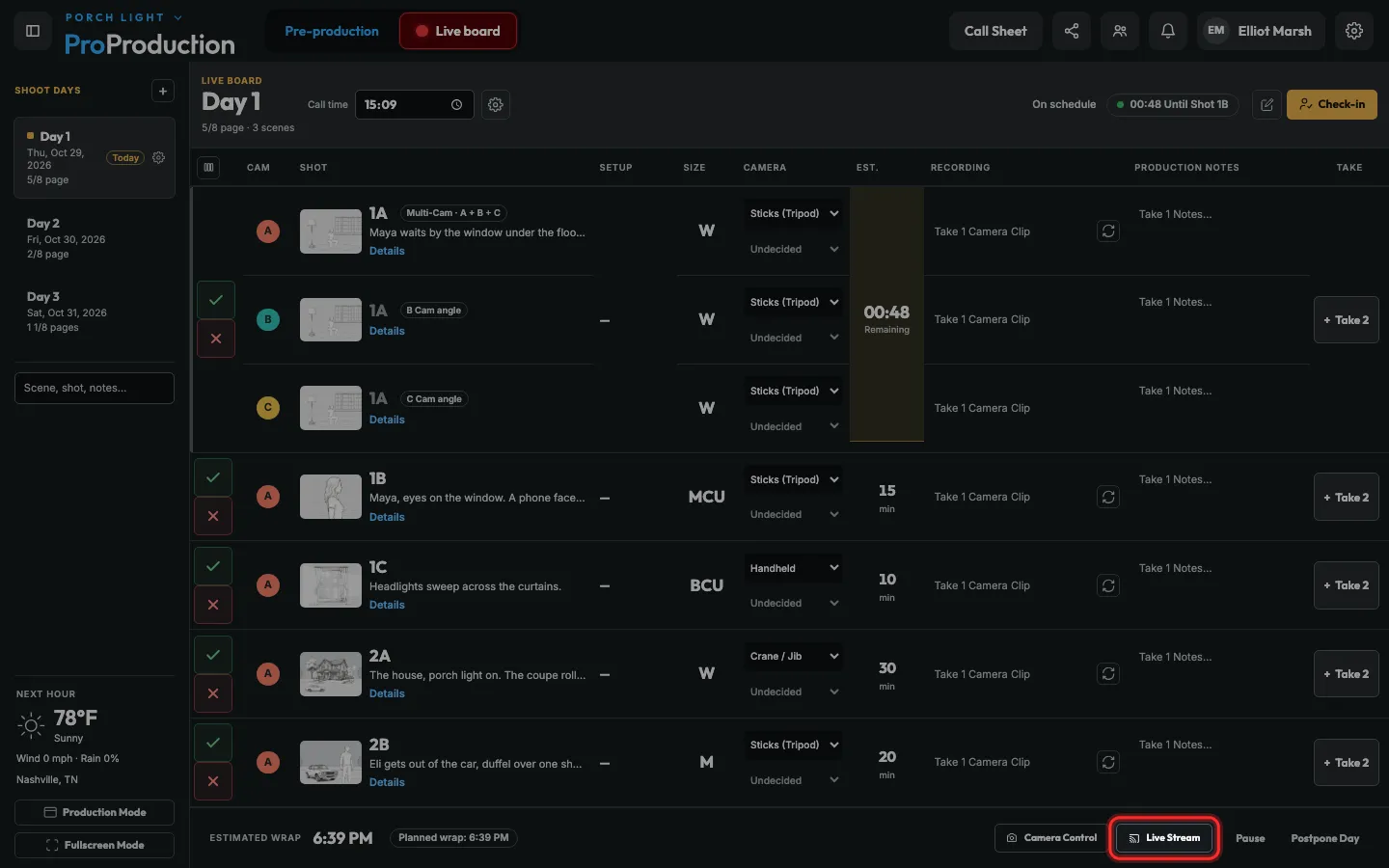
Step 4: On any other screen, click Live Stream on the Live board.
Step 5: Click a letter to switch cameras, Grid to see them all, or Follow Shot to follow the shot you’re on.
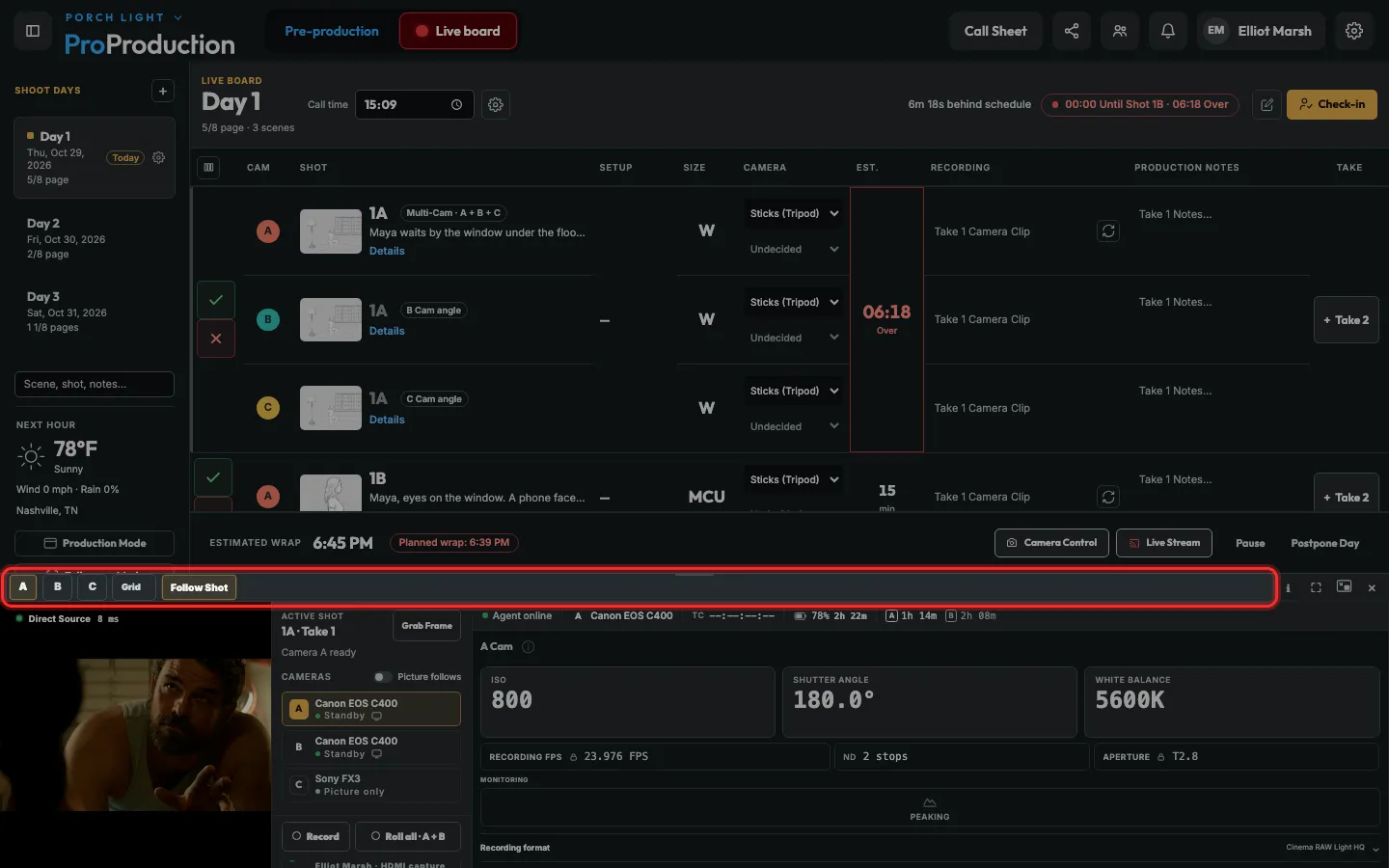
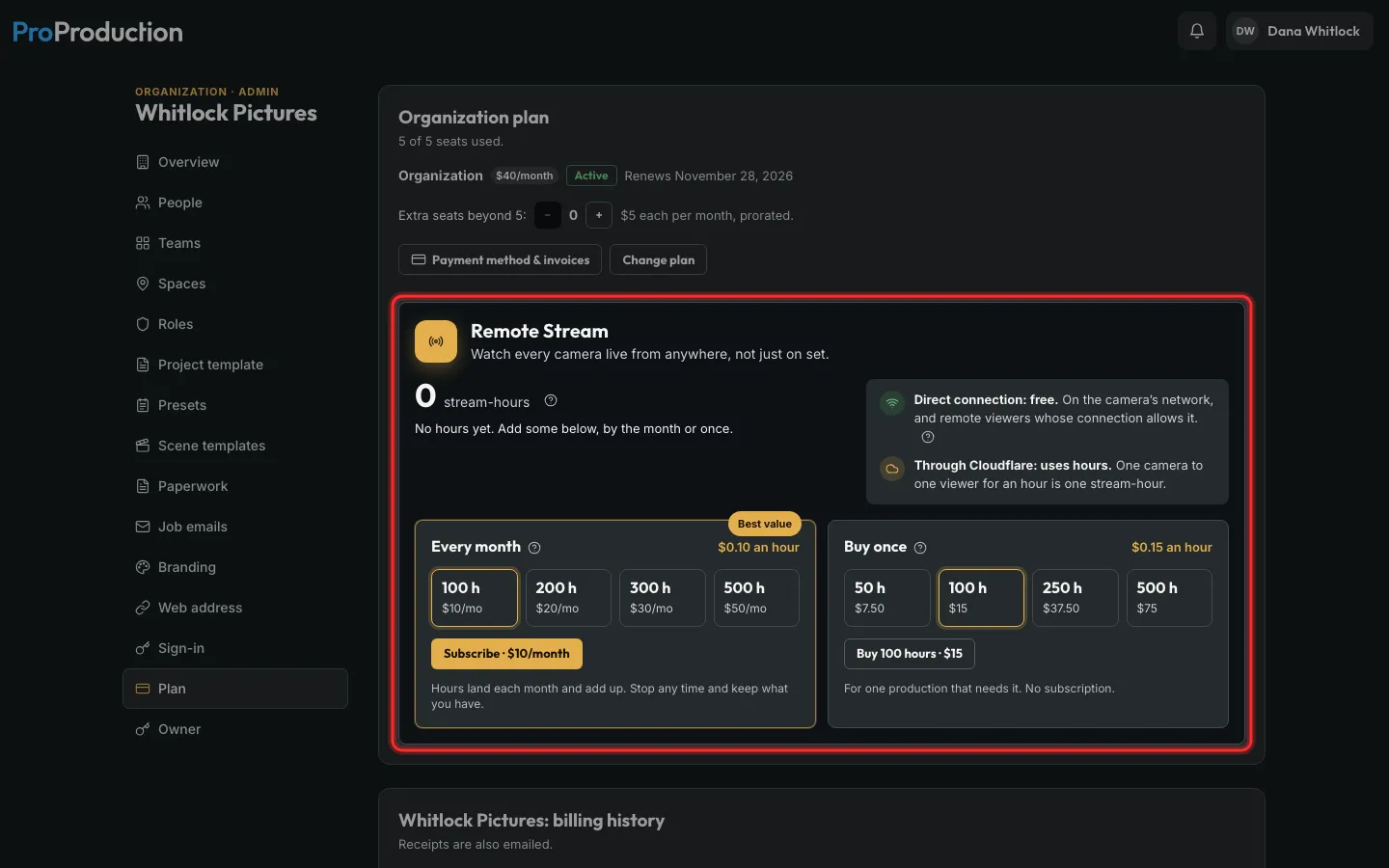
Step 6: Watching from off set? That uses Remote Stream hours. Buy them on Plan & billing, or an organization’s Plan page.
Watching on the set’s own network is free. One camera to one viewer for an hour is one hour.
Still stuck?
Write to hello@proproduction.app. A person reads every message.