How do I log takes on set?
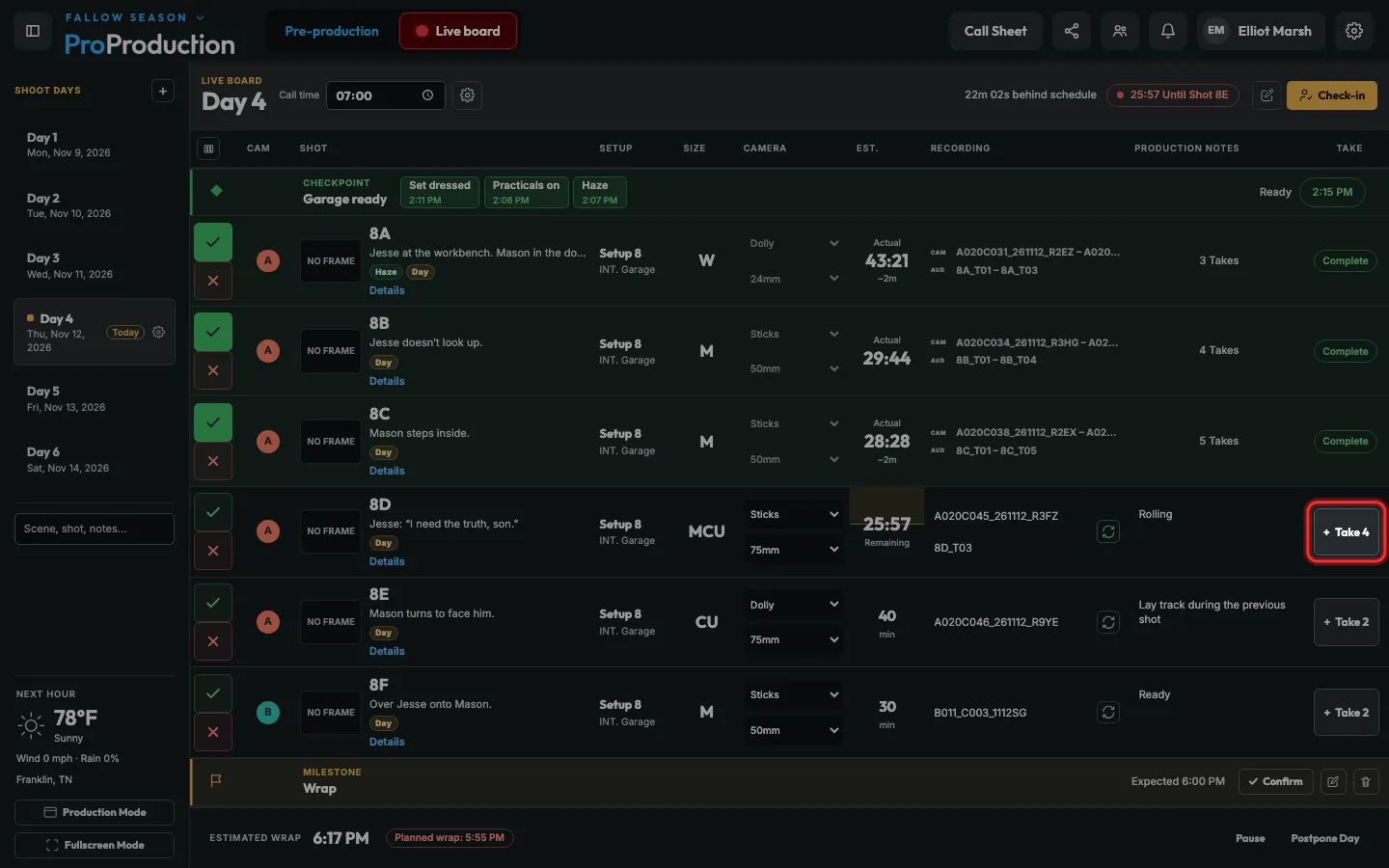
Click + Take on the shot when you go again. The take you just shot opens for notes and a circle, and the shot keeps every take under Details.
Step 1: Going again? Click + Take 4 on the shot.
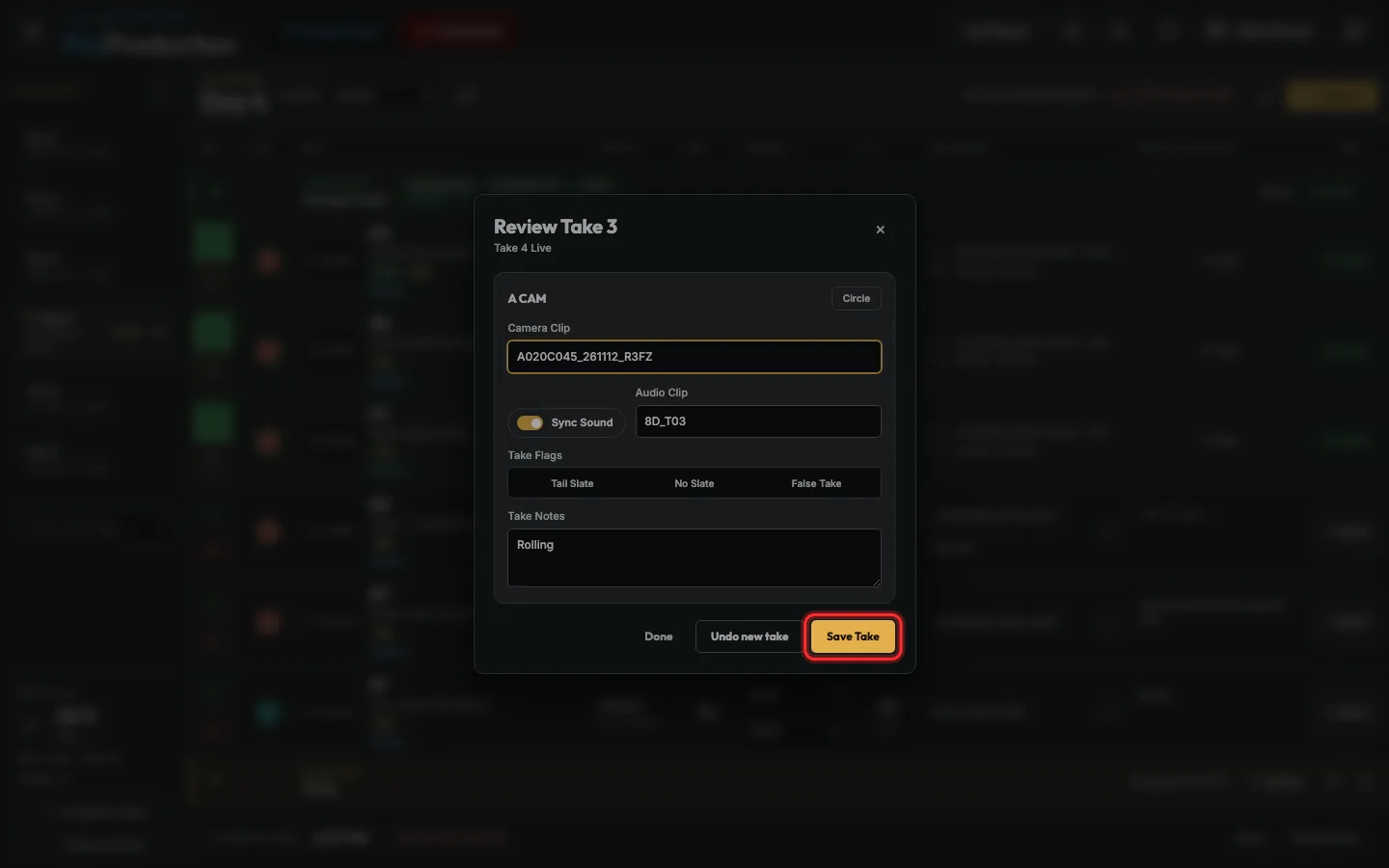
Step 2: Add notes for the take you just shot, then click Save Take.
Typed something and closed it? That saves too. Undo new take takes it back.
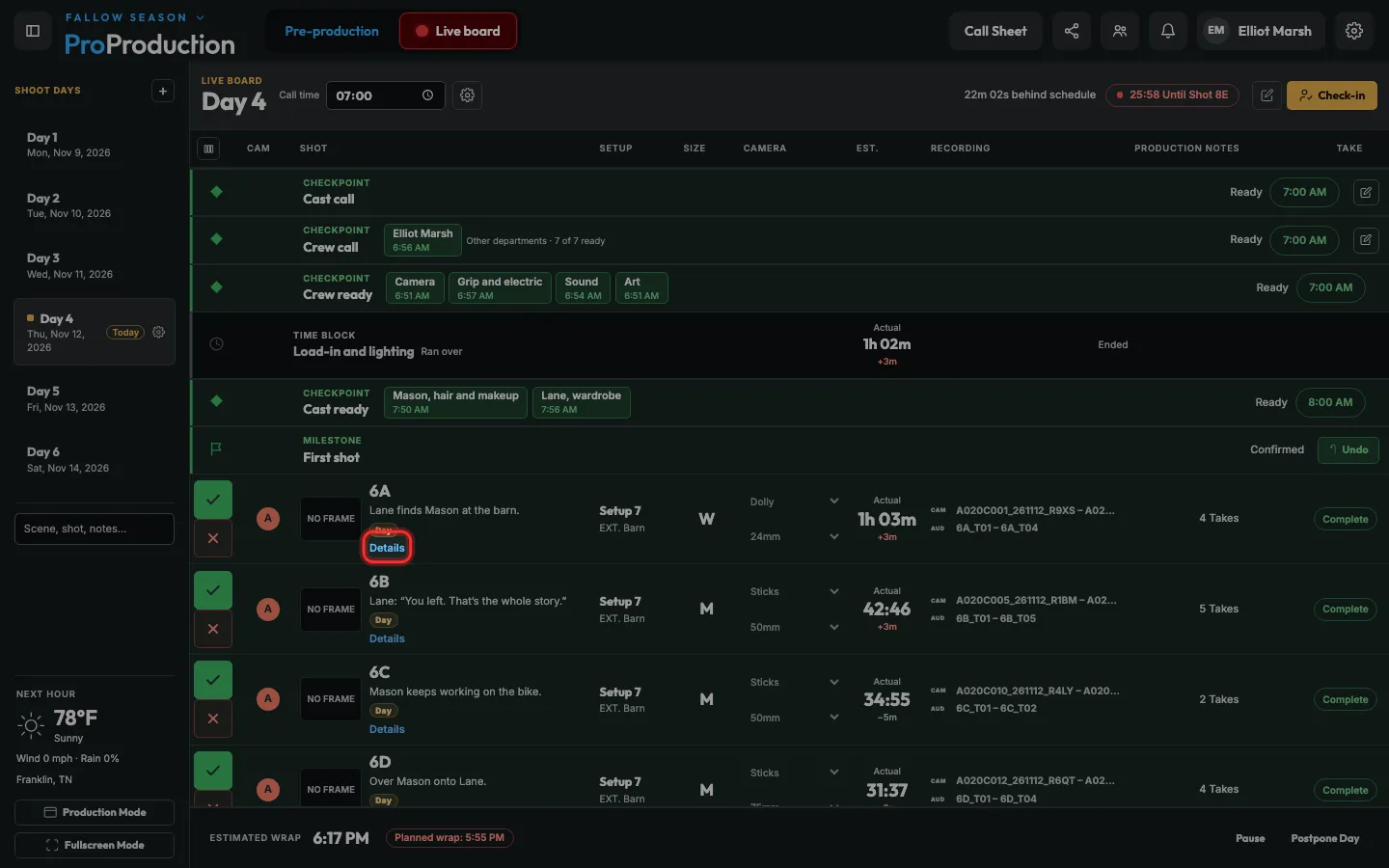
Step 3: To see every take, click Details under the shot.
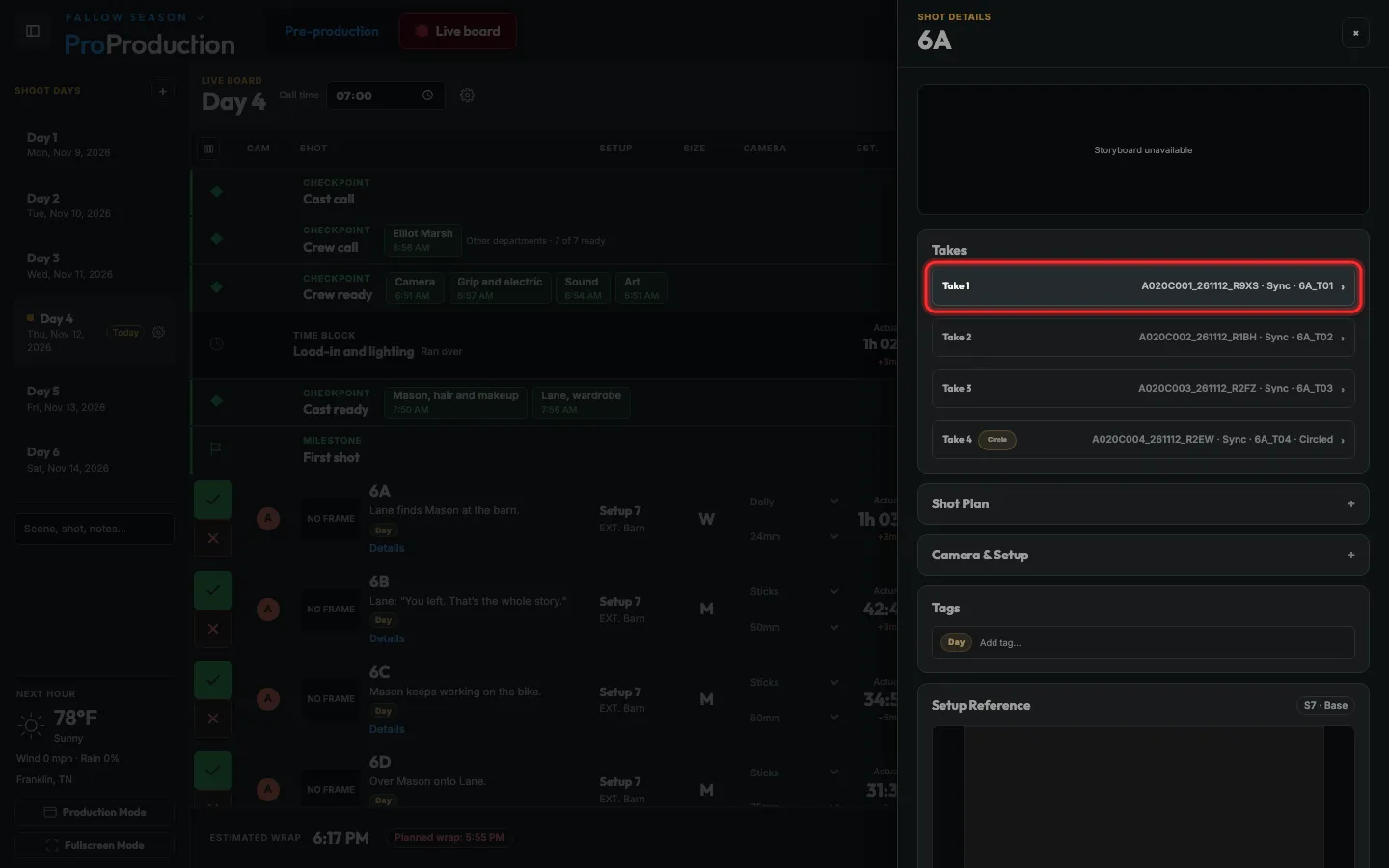
Step 4: Circle the good ones, mark a false take, and fix a clip name.
Takes from a camera on the Camera Agent fill in what the camera reports on their own.
Still stuck?
Write to hello@proproduction.app. A person reads every message.