How do I see who’s in, wrap departments and get crew hours?
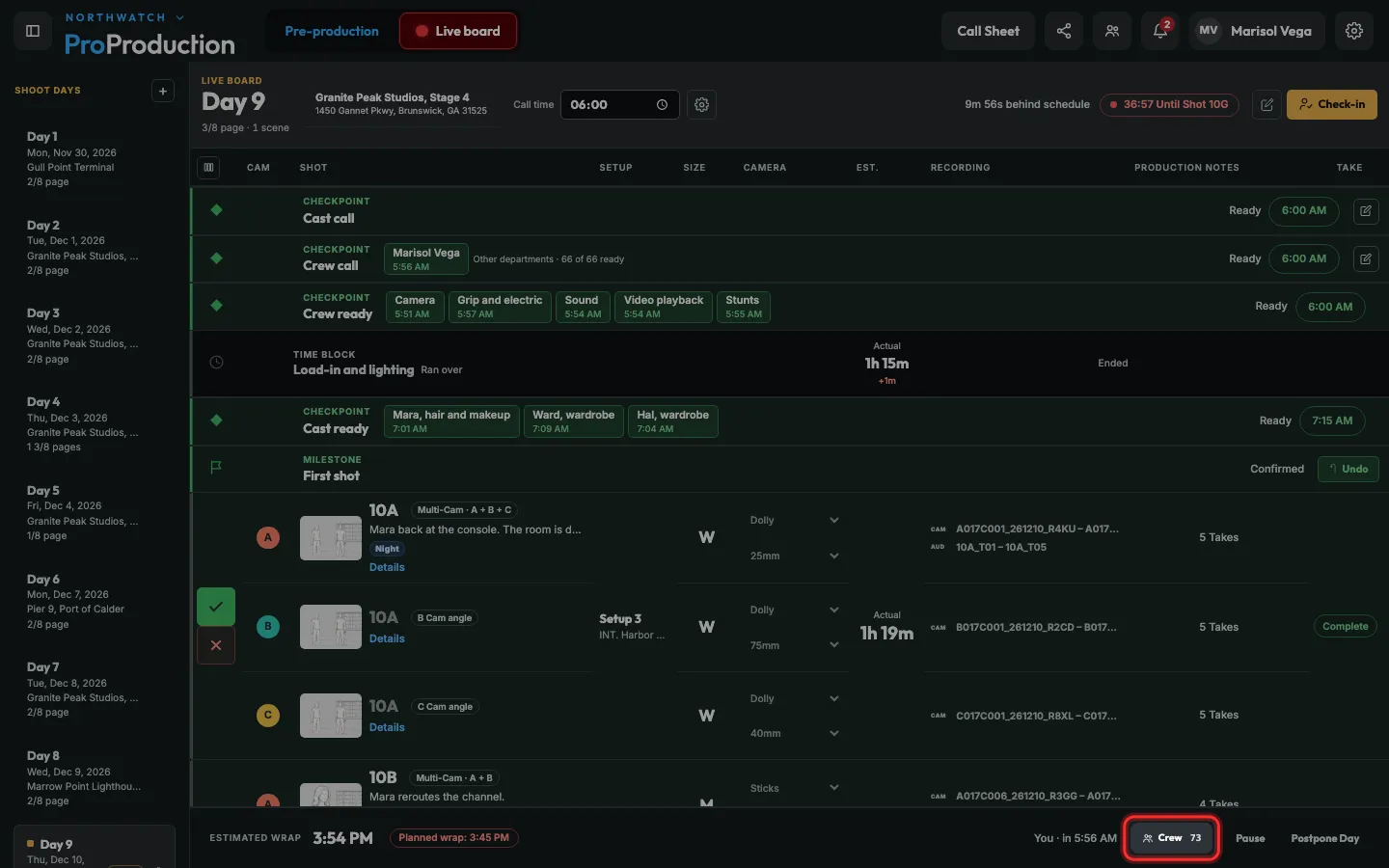
On the Live board, click Crew. Today’s call is there by department, with who’s in, meals and a Wrap for each. Hours fill in from check-in to wrap, and People → Hours exports them for payroll.
Step 1: On the Live board, click Crew in the bar at the bottom.
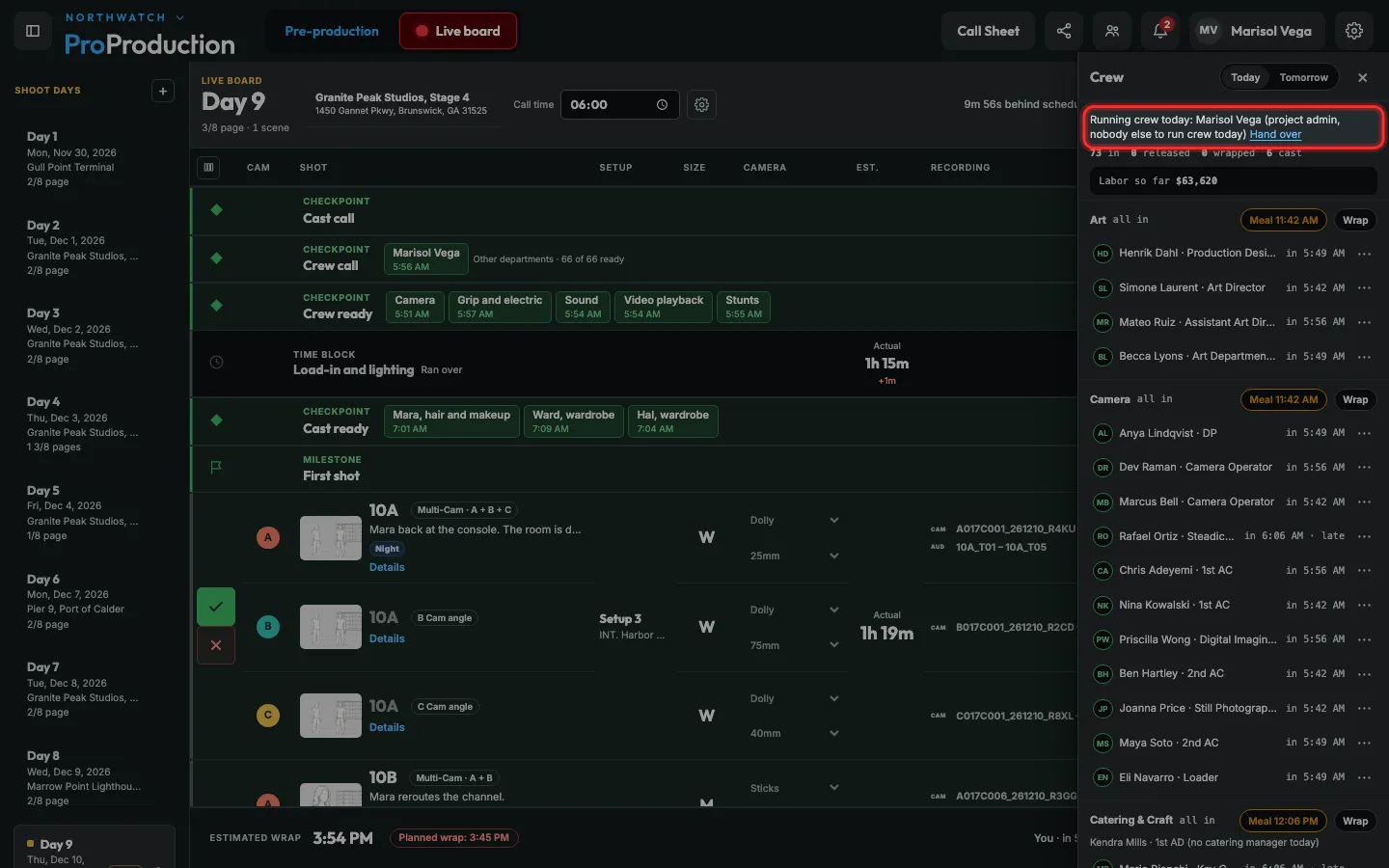
Step 2: The top says who runs crew today, and why. Below, each department shows who’s in and when.
It goes to the 1st AD, then down the line. Hand over passes it to someone else.
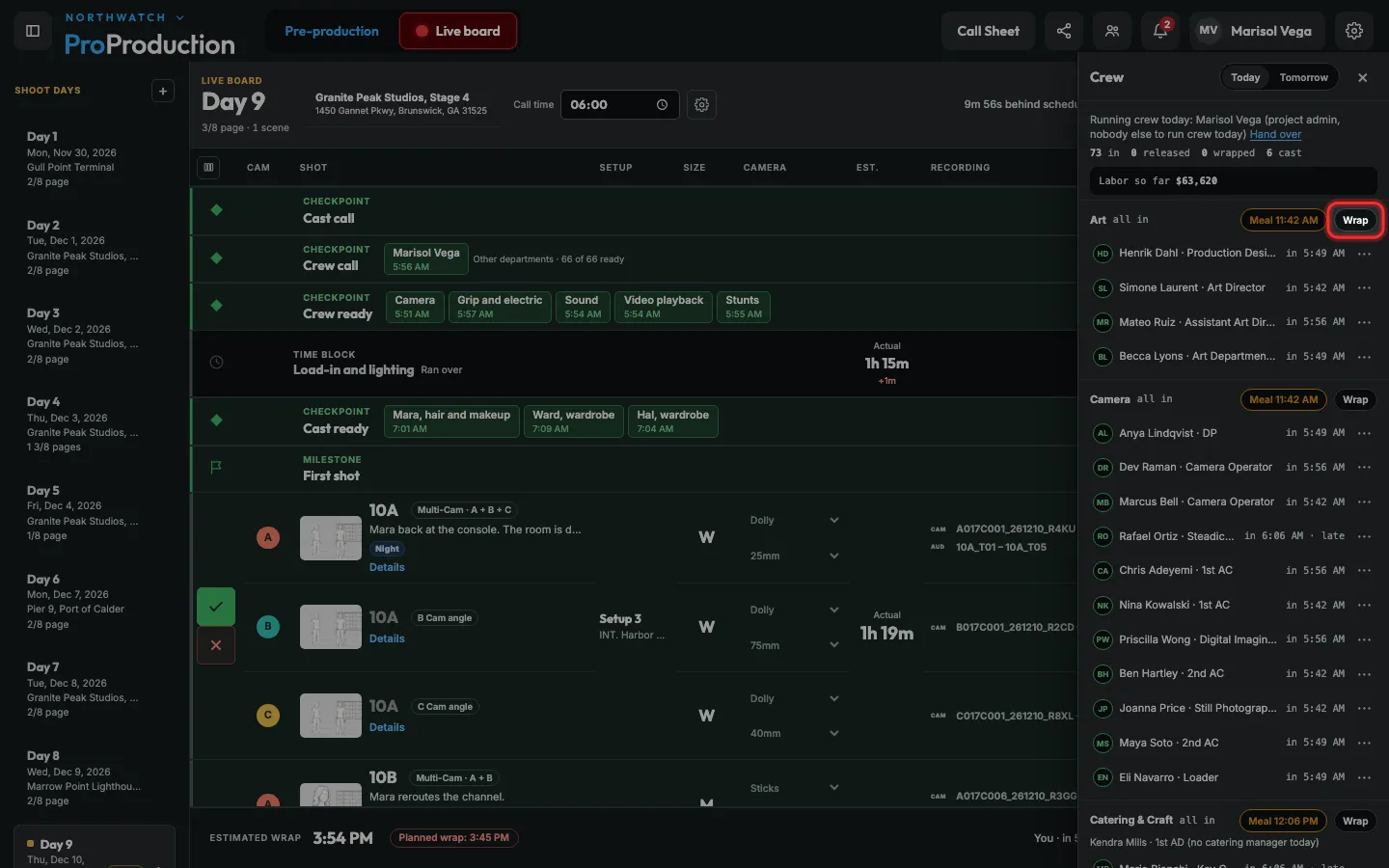
Step 3: When a department is done, click its Wrap.
Click ⋯ beside one person to release them early, with a time.
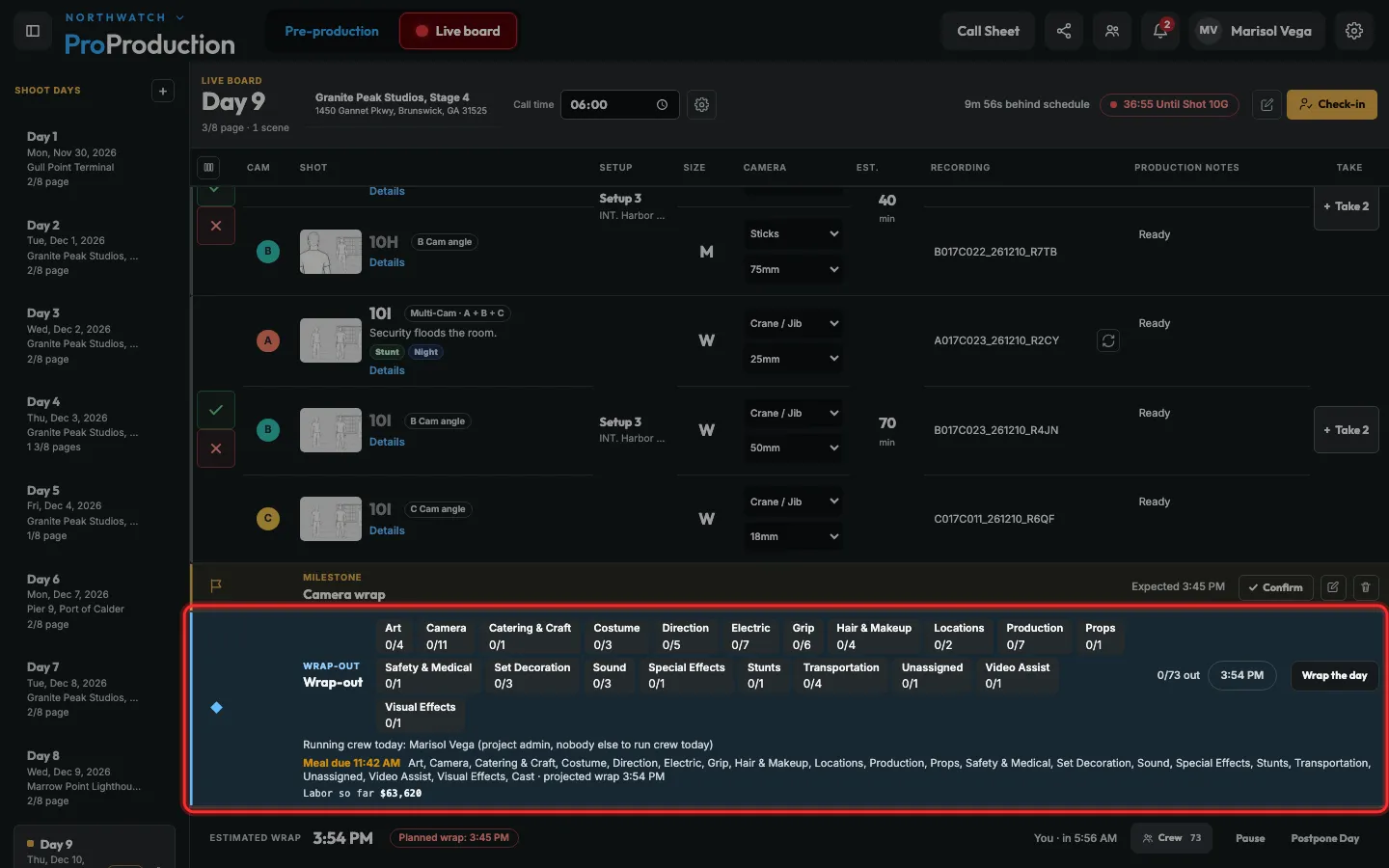
Step 4: The Wrap-out row ends the day on the board. Wrap the day there stamps out everyone still in.
Nobody can forget: 30 minutes after the last shot, whoever runs crew is reminded.
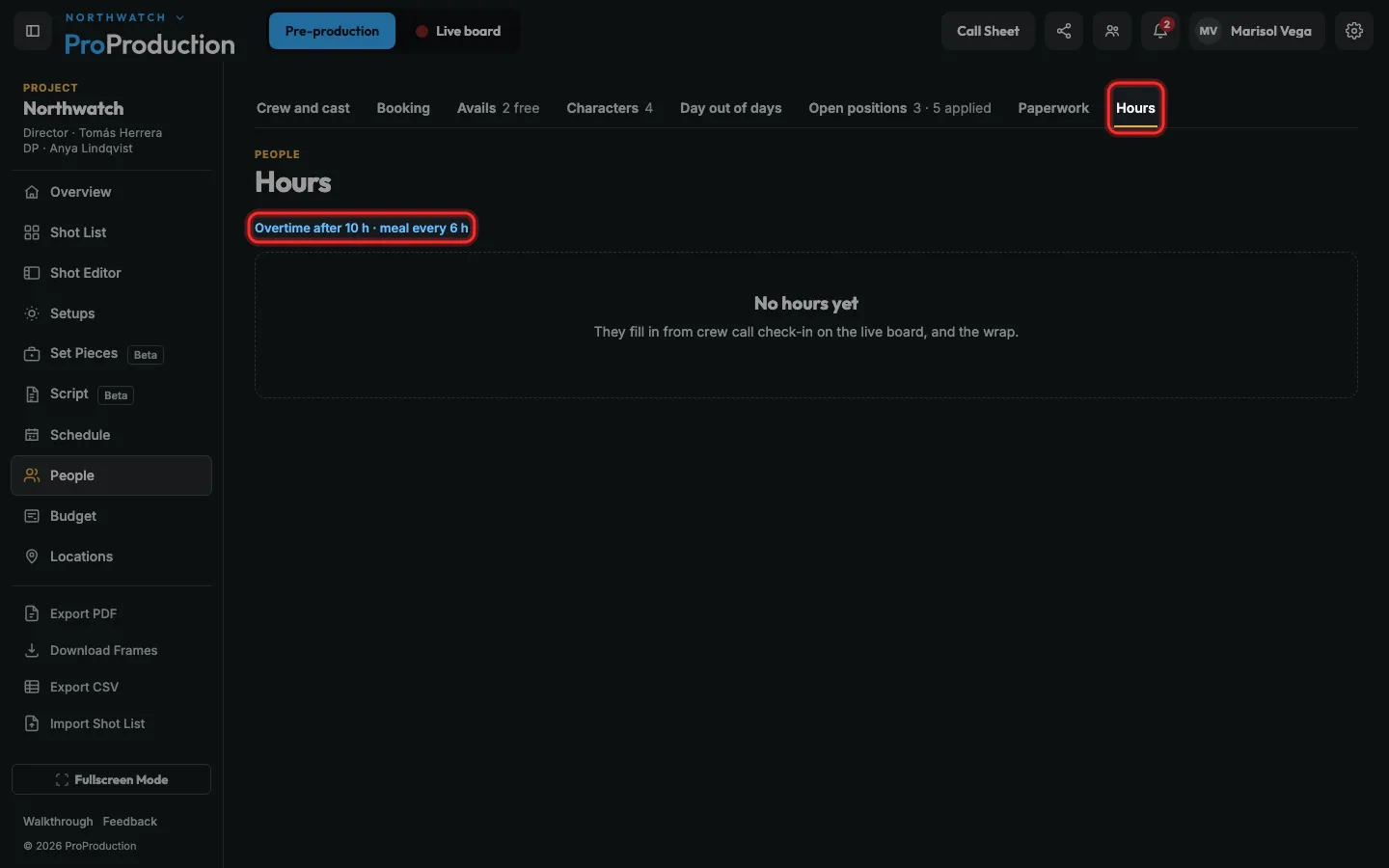
Step 5: For the hours, open People → Hours.
Each person’s day lands here once it wraps, with Export CSV for payroll: in from check-in, meals from the lunch block, out from the wrap. Click the rule to change when overtime starts and how often a meal is due.
Still stuck?
Write to hello@proproduction.app. A person reads every message.