How do I try the demo and follow it on my phone?
Open demo.proproduction.app, pick a sample production, click Connect a phone, and type the code on your phone. No account needed.
Step 1: On your computer, go to demo.proproduction.app and pick a sample production.
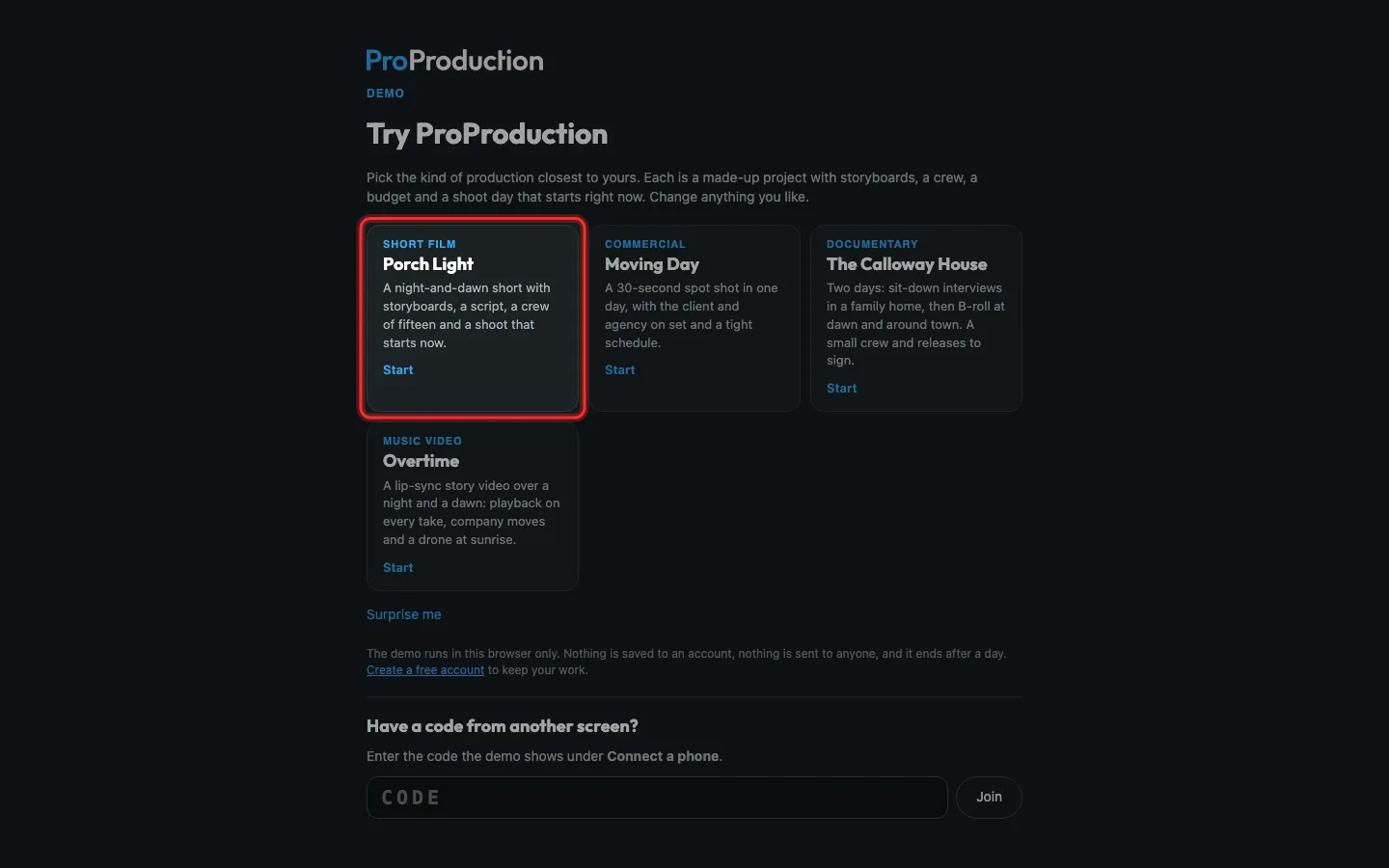
Step 2: Click Connect a phone at the bottom.
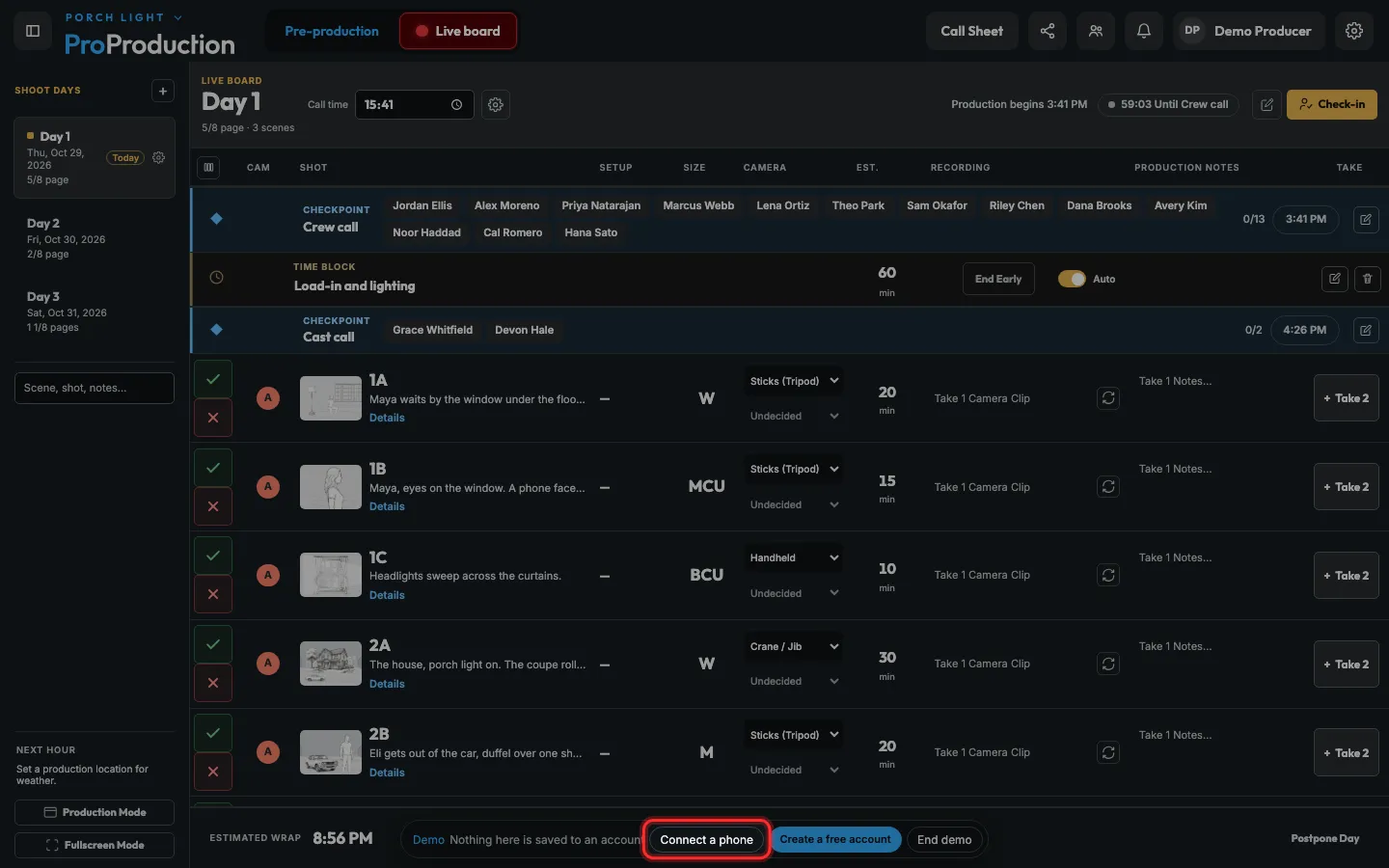
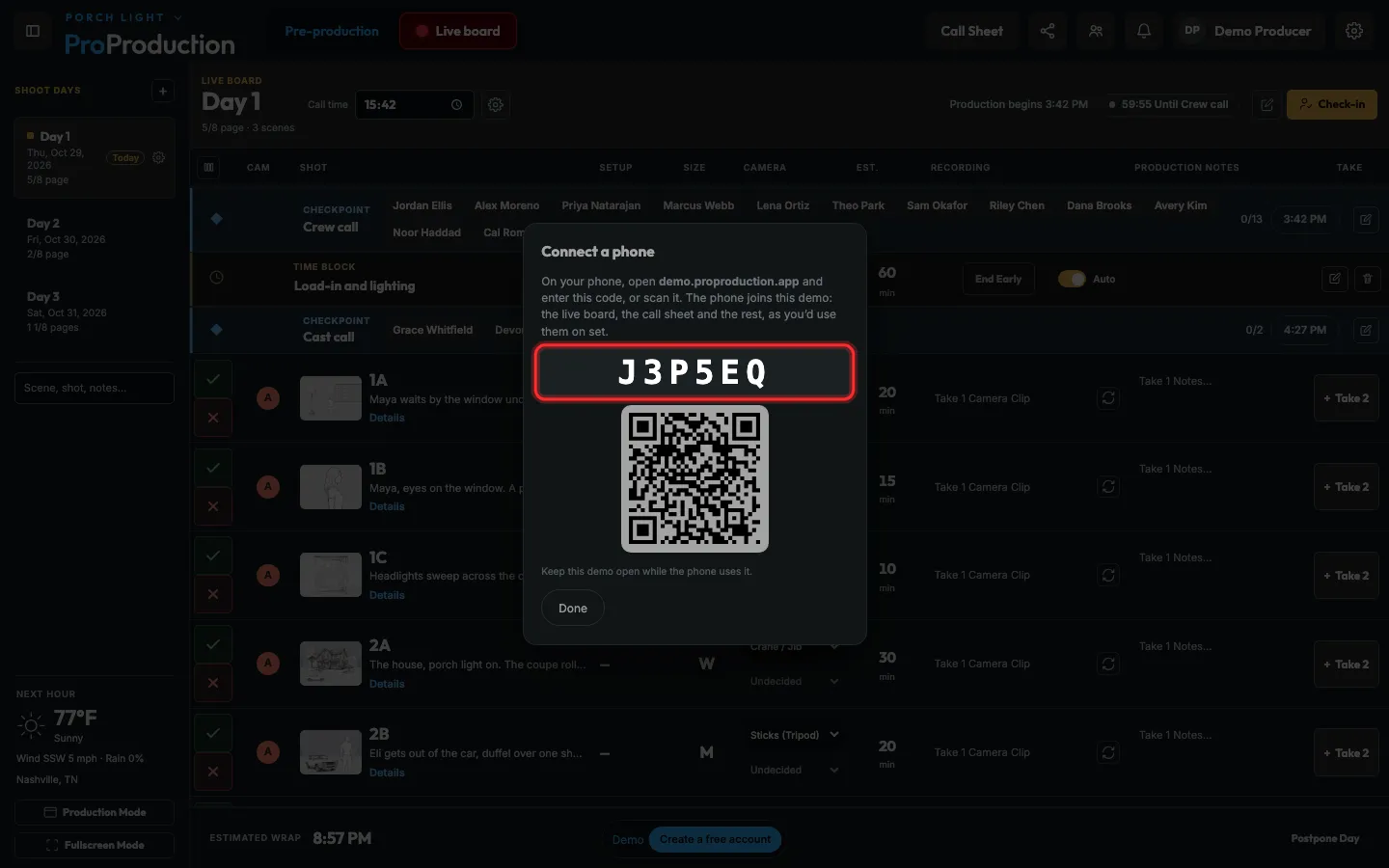
Step 3: Leave this code on screen.
Or scan the QR code with your phone’s camera and skip the next step.
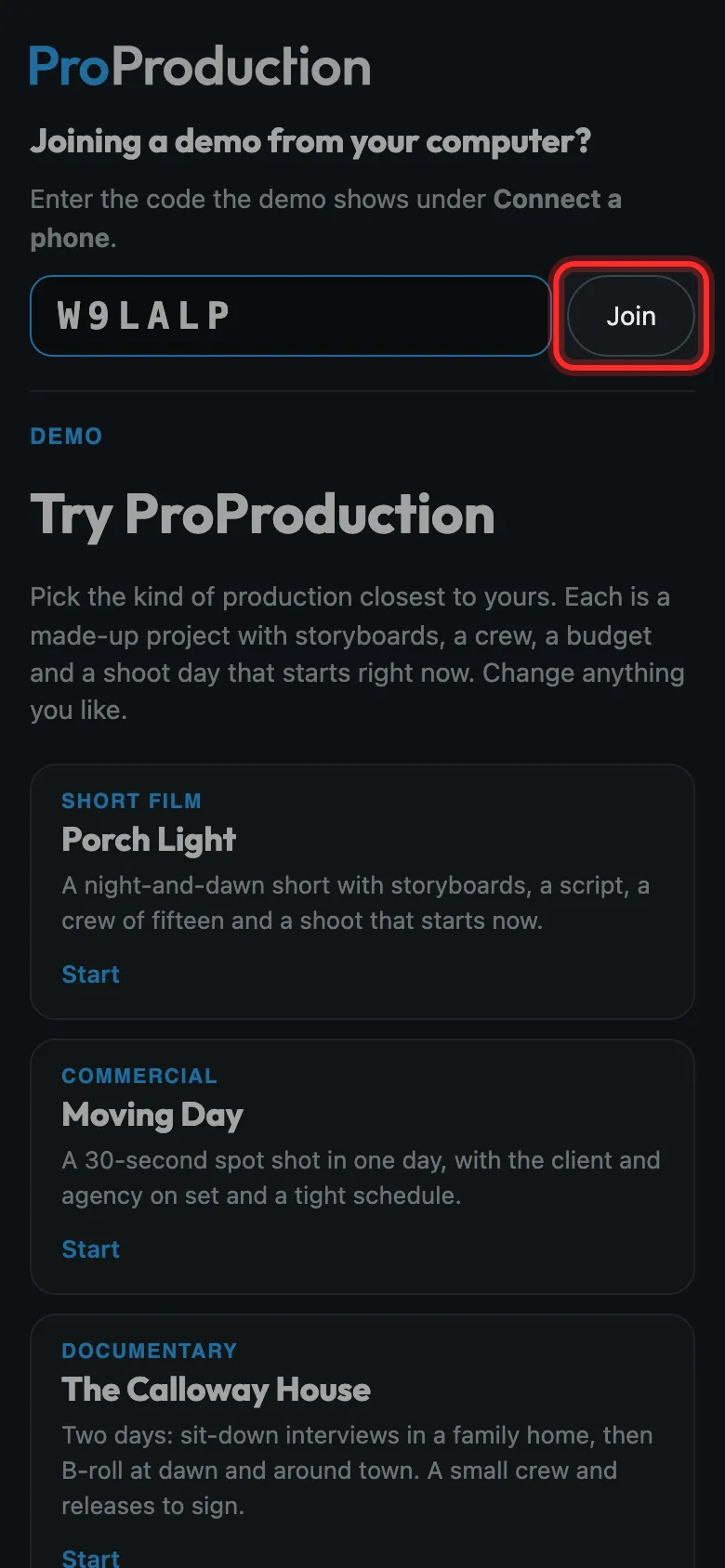
Step 4: On your phone, open demo.proproduction.app, type the code and tap Join.
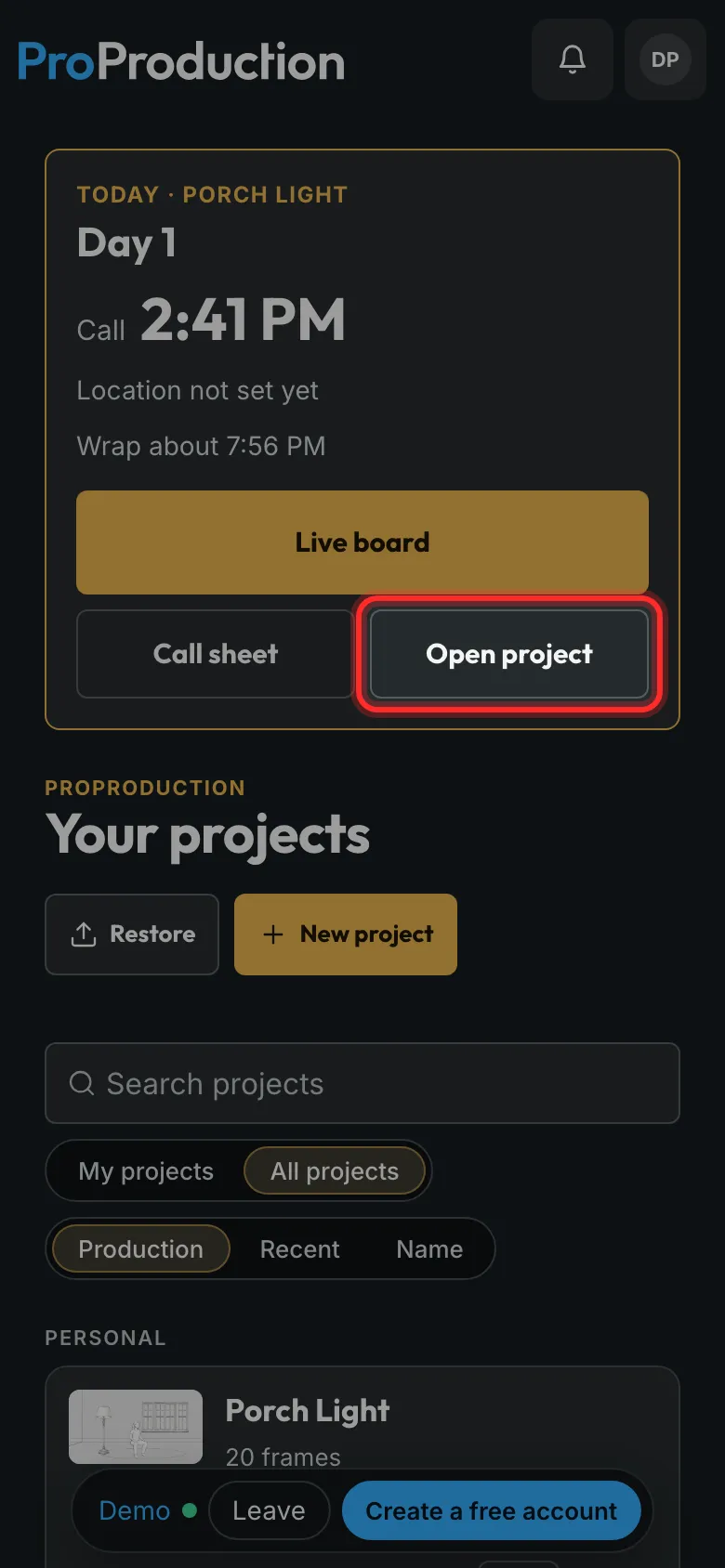
Step 5: Tap Open project.
Your phone now shows the same demo as your computer. Change something on one and watch the other.
Still stuck?
Write to hello@proproduction.app. A person reads every message.