How do I write the script with someone else?
You both click Write. You’re in the same draft, live: you see each other’s caret and name, and you can type in the same line without losing each other’s words.
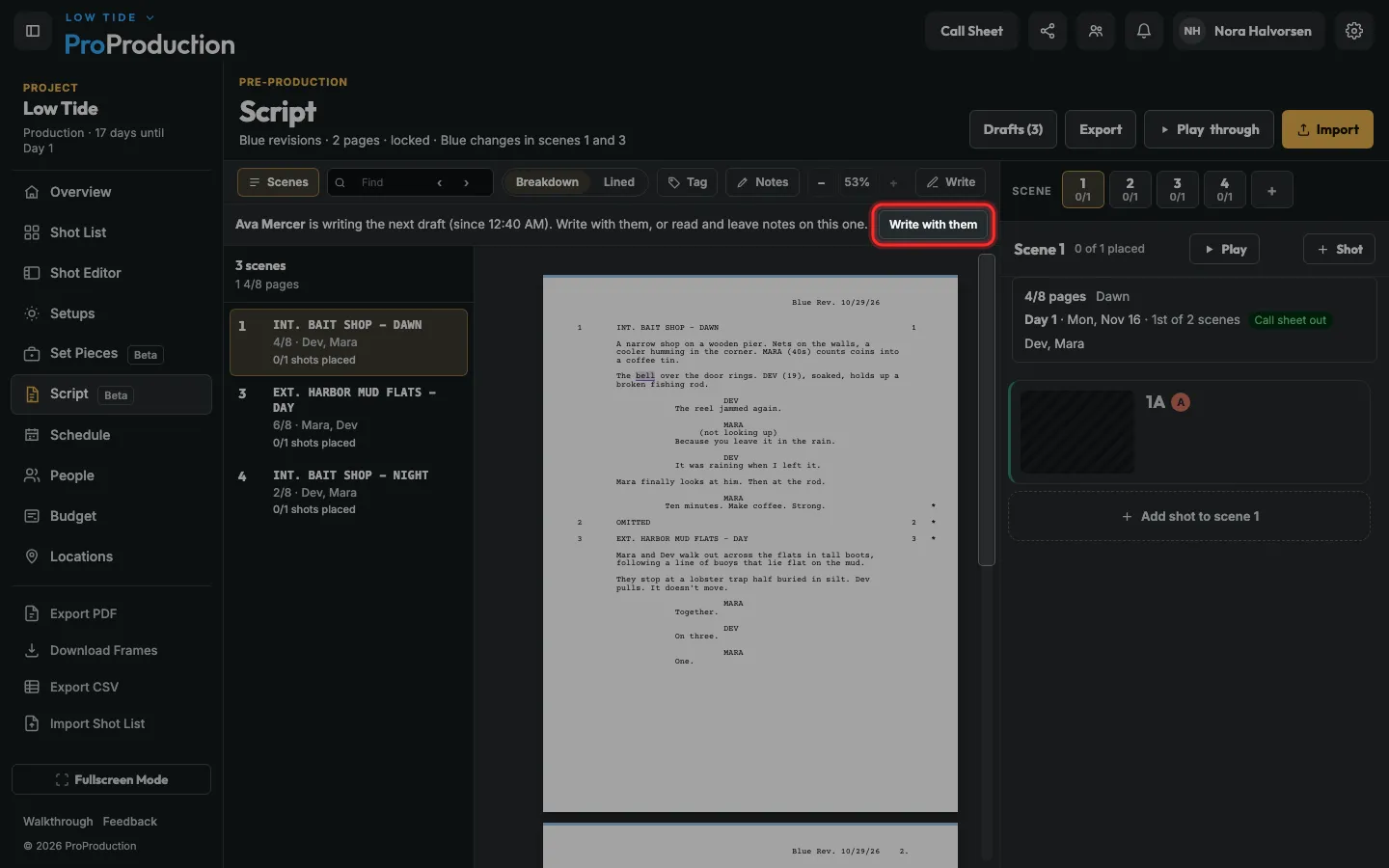
Step 1: When someone is writing, the Script page says so. Click Write with them.
Anyone whose role can write the script can join.
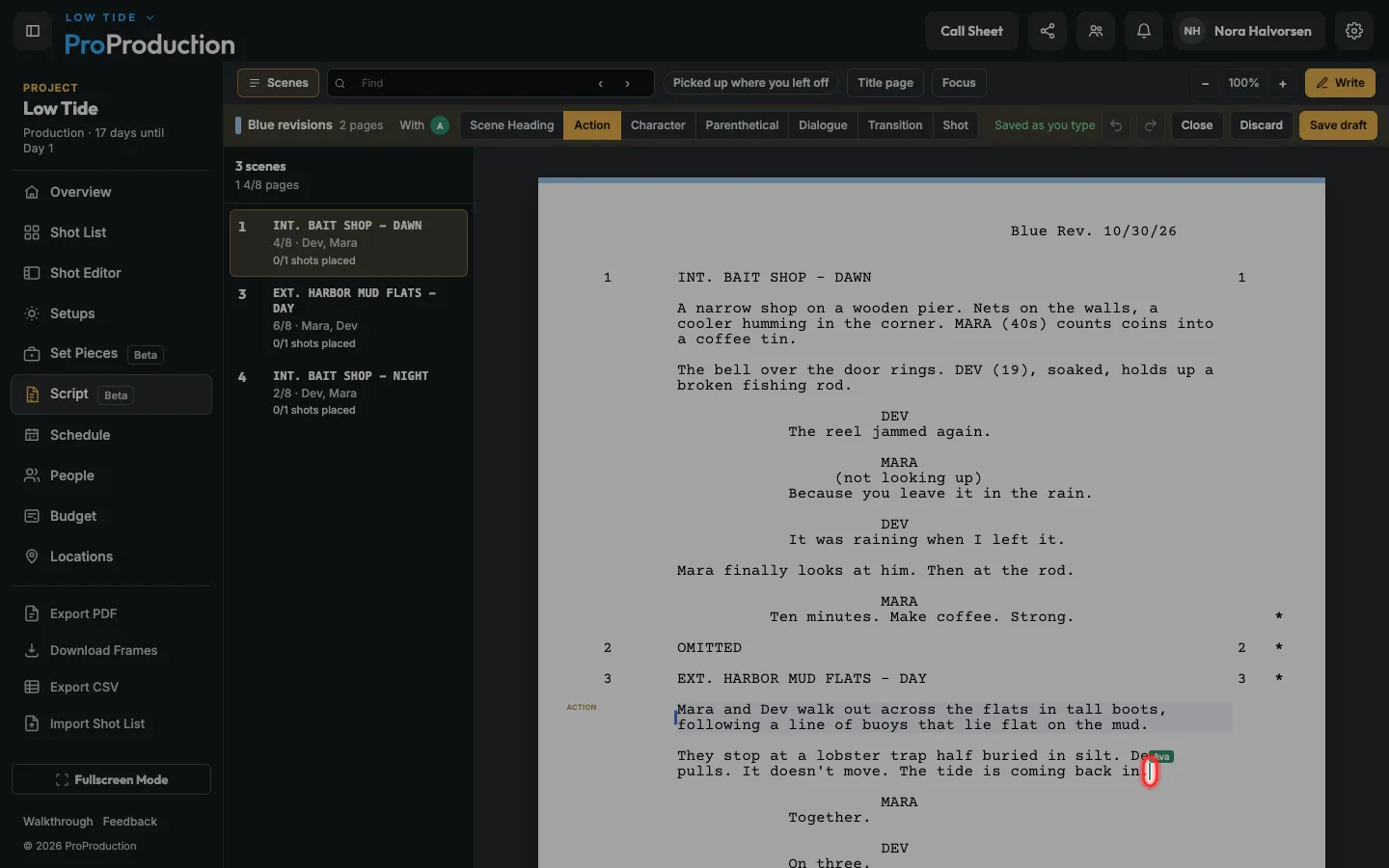
Step 2: Write as usual. Their caret and name show where they’re typing, and their words appear as they type.
Undo takes back your own changes, not theirs. Offline, your typing is kept and merges when you’re back.
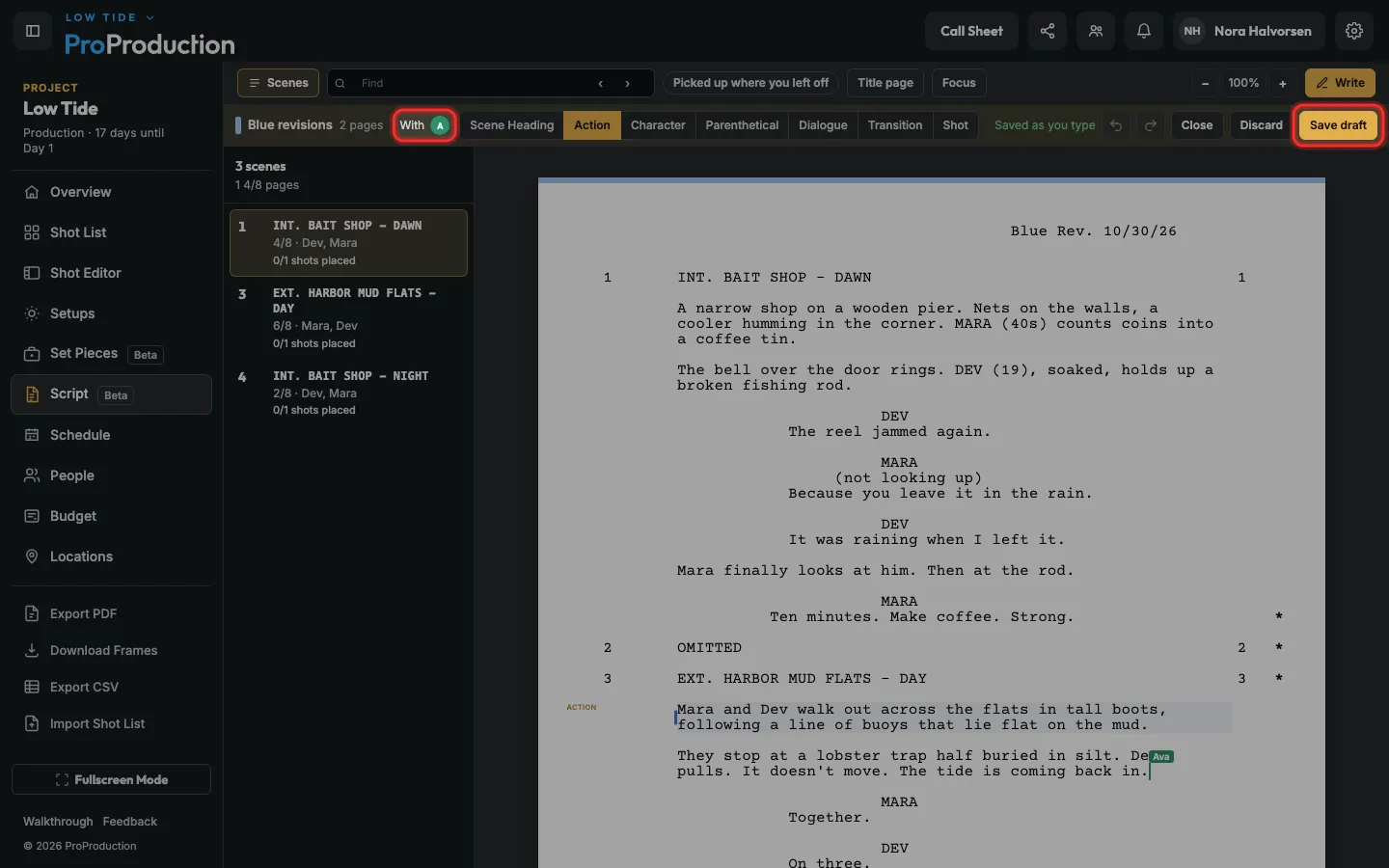
Step 3: Either of you clicks Save draft when you’re done. Everyone writing carries on in the next draft.
Discard throws the changes away for everyone writing, so it asks first.
Still stuck?
Write to hello@proproduction.app. A person reads every message.